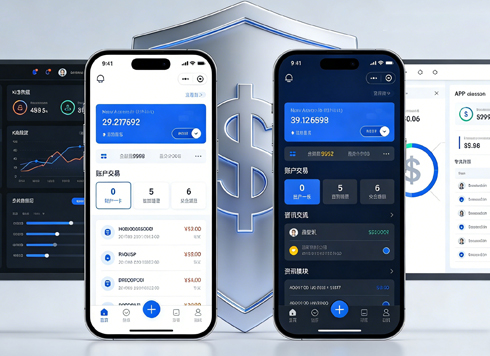





UI Design Fundamentals: Principles, Process, and Common Pitfalls
What is UI Design
UI (User Interface) design is the combination of the visual layer and interaction layer that users directly encounter in digital products. It is not just "drawing pictures" but uses layout, color, typography, icons, and motion to guide users to efficiently complete tasks and bring pleasure. In the practice of 2026, UI design has become deeply integrated with product strategy and development engineering; an excellent design solution must simultaneously satisfy visual consistency, operational intuitiveness, and technical feasibility.
- Defining the boundary: UI design does not include backend logic or algorithms, but must understand frontend implementation constraints (e.g., responsive breakpoints, loading states).
- Deliverables: Including high-fidelity prototypes, design specification documents, sliced resources, and interaction annotations.
Why UI Design is Crucial for Products
Even if a product has powerful features, a messy UI can lead to user churn. According to statistics, 88% of users reduce their usage frequency after experiencing a poor interface. UI design directly affects first impressions, operational efficiency, and brand perception, especially in the competitive landscape of 2026, where leading products have made UI a core differentiator.
- Business value: A clear and aesthetically pleasing UI can increase conversion rates by 15%-30% (industry range, not precise values).
- User retention: Reduces learning costs and operation error rates, indirectly reducing customer support pressure.
- Brand consistency: A unified design language strengthens brand recognition, avoiding fragmented experiences.
Core Principles of UI Design
The following principles are a foundational framework widely followed in the industry in 2026, applicable to various interface design projects. Understanding these principles helps teams quickly assess design quality and avoid common mistakes.
- Clarity first: Each interface should have a clear primary task to avoid information overload. For example, a login page should only highlight the account input and login button, rather than being filled with promotional copy.
- Consistency: The same components (e.g., buttons, input fields) should maintain uniform style and behavior across all pages, enforced by a design system.
- Visible feedback: Every user action (click, swipe, input) should have immediate visual/motion feedback, such as a button dimming when pressed or a progress bar during loading.
- Error tolerance: Allow undo, provide confirmation dialogs, and clear error messages instead of silent failures or direct errors.
- Proximity principle: Related functional buttons should be placed close together to reduce mouse/finger movement distance.
Standardized UI Design Process
A reusable "five-stage implementation method" helps teams systematize progress and avoid rework and omissions. This process has been validated in multiple domestic teams and is especially suitable for the agile iteration scenarios of 2026.
- Requirement understanding and competitive analysis: Understand user scenarios, business goals, and constraints; collect at least 3 competitor interfaces as references. Note: Do not copy directly; extract common patterns (e.g., visual hierarchy of e-commerce shopping carts).
- Low-fidelity prototype and information architecture: Use wireframes to quickly verify page layout and flow, focusing on navigation logic and content priority. This step is typically confirmed with product managers and developers.
- Visual design (high-fidelity): Determine the color system (primary and secondary colors), typography hierarchy, spacing rules, and icon style. It is recommended to use an 8-pixel grid specification to ensure alignment.
- Interaction design and motion: Add transition animations and micro-interactions (e.g., hover states, gesture feedback). Motion should be restrained to avoid performance issues from unnecessary flashiness.
- Design review and development handoff: Organize cross-role reviews to check accessibility (contrast, font size) and adaptability to different screen sizes. Deliver with annotation instructions and component libraries.
Applicable Scenarios and Boundaries
Scenarios suitable for applying UI design specifications: Consumer-facing applications for the mass market (e.g., e-commerce, social networking, tool apps), enterprise-level management backends (requiring unified operation flows), and redesigns before launching new feature modules. In these scenarios, UI design directly improves conversion rates and user satisfaction.
Cases where over-design is unnecessary: Internal prototype validation stages (black-and-white wireframes can be used for quick testing), B2B vertical tools with expert users (some aesthetics can be sacrificed for efficiency), and projects with extremely tight budgets and timelines (mature open-source component libraries can be reused). The judgment criterion: if users can tolerate a rough interface and the business need is rapid launch, pixel-perfect UI is not required.
Common Questions
What is the difference between UI design and UX design?
UX (User Experience) design focuses on the overall usage flow and logic, while UI design focuses on the specific implementation of visuals and interactions. The former is the "skeleton," and the latter is the "skin and flesh"; they work together rather than in isolation.
How can someone with no design experience start learning UI?
It is recommended to first imitate high-quality interfaces (e.g., selected works on Dribbble) while systematically learning Apple's Human Interface Guidelines or Material Design specifications. For tools, Figma remains mainstream in 2026, followed by Sketch or MasterGo.
What is the most common mistake in UI design?
The most common mistake is neglecting information hierarchy: trying to highlight all elements leads to a cluttered interface. It is recommended to follow the principle of "important content at the top + whitespace separation" and use font size and color weight to distinguish primary and secondary elements.
How to measure the quality of UI design?
Objective metrics can be used: e.g., task completion rate, error click rate, user satisfaction score (NPS). Subjectively, qualitative evaluation can be done through expert reviews (e.g., Nielsen's usability principles).
In 2026, AI generates a lot of interface materials. Are designers still important?
AI can quickly generate visually appealing alternatives, but understanding business logic, user behavior, and product goals still requires human judgment. The role of UI designers is shifting toward strategic control, interaction detail refinement, and brand consistency maintenance.
Action guide: For startup teams or new projects, it is recommended to first establish a basic design specification (colors, fonts, spacing), then adopt the "five-stage implementation method" in this article to advance the first version. Note that UI design is not a one-time task; it requires continuous iteration based on user feedback and data analysis. If the schedule is tight, prioritize clarity and consistency; motion and fine details can be added later. Some medium-sized enterprises choose to collaborate with professional design teams for implementation. For example, Xiyue Company has helped multiple SaaS products build component libraries, increasing design efficiency by over 40% (based on pre- and post-project comparisons). However, the core decision-making power should always remain with the product owner.
-
 Livy Pig Farming IoT Platform UI Design
This IoT system uses sensors to monitor hog ...
-
 UI Design & Prototype for Sunwayland's ThingNet IIoT Platform
UI design and prototyping for ThingNet IIoT ...
-
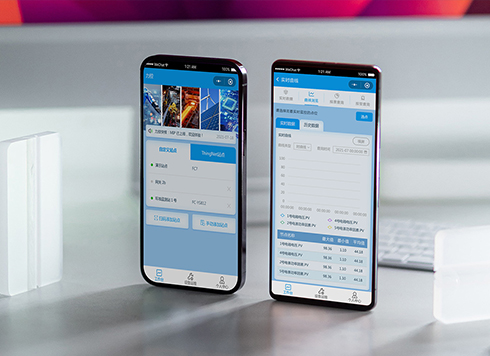 Likong Industrial IoT Tech Co., Ltd. Mini-program UI/UX Design
IIoT firms: mobile mini-program + platform. ...
-
 UI Design of the Internet Advertising Platform (a Sci-tech Sense Official Website)
The corporate website UI features a futuris ...
-
UI Interface Design Beginner's Guide: Core Principles, Process, and Common Mistakes
Date: Jul 17, 2026 Read: 109
-
Key Principles and Practical Workflow for UI Design
Date: Aug 2, 2026 Read: 126
-
How to Design UI: Process, Principles, and Common Mistakes
Date: Jul 24, 2026 Read: 123
-
Practical Guide to UI Interface Design: Core Principles, Common Pitfalls, and Implementation Methods
Date: Jul 22, 2026 Read: 159
-
Basic Principles and Practical Methods of UI Design
Date: Jul 16, 2026 Read: 78