



How to Approach UI Design: Core Principles, Process, and Common Pitfalls
The essence of UI design is to organize interface information and interaction patterns systematically, allowing users to complete target actions without thinking. A qualified UI design must meet at least three conditions simultaneously: clear visual hierarchy, reasonable operation paths, and complete status feedback. This article follows common project delivery practices in 2026 to outline methods for UI design from definition to implementation, providing ready-to-use processes, self-check lists, and common pitfalls.
1. Understand the Boundaries of UI Design: What Problems Does It Solve?
UI design is not equivalent to visual beautification. It is about finding a balance among product functionality, technical constraints, and user habits. By 2026, users have become less tolerant of interface inefficiency; one extra click in an operation path can directly lead to user churn. Therefore, the priority of UI design is to reduce cognitive load, not to stack styles.
The core goal of UI design is not to look good, but to help users accomplish tasks at a reasonable cost; when aesthetics conflicts with usability, usability takes priority. This judgment is crucial in practice.
- UI design is responsible for information hierarchy, visual flow, and feedback states; UX design handles the broader experience journey.
- For B2B products, UI design must prioritize the readability of dense data.
- For B2C products, clarity drives conversions more than personality.
2. Four-Step Implementation Method for UI Design
Following the approach of mainstream design teams in 2026, UI design can be divided into four steps, each with its own deliverables. This process helps reduce rework and is suitable for small to medium-sized projects.
- Step 1: Clarify requirements and information architecture. Translate business requirements into interface structure, determining the primary and secondary tasks for each page. After this step, deliver a page inventory and task flow diagram.
- Step 2: Establish design specifications. This includes fonts, colors, spacing, border radius, component states, etc. Specifications first prevents fragmentation in later interfaces.
- Step 3: Produce high-fidelity screens. Draw key pages and edge cases based on the specifications. Use real content for filling; ignoring content will lead to rework.
- Step 4: Walkthrough and validation. Check visuals and interactions against the self-check list item by item, and confirm core paths through quick user testing.
The first two steps account for about 40% of the time, and the last two for 60%; many projects skip the first two steps and jump directly to drawing interfaces, which significantly increases later modification costs. It is recommended to start from step one; even under time constraints, at least complete the information architecture and color/typography specifications.
3. How to Evaluate UI Design Quality: Five Self-Check Dimensions
Judging whether UI design is acceptable should be based on dimensions, not feelings. Here are five actionable checkpoints that, following 2026 project delivery practices, apply generally to web and mobile.
- Clarity: Users can articulate the page’s main content and primary actions within 3 seconds.
- Efficiency: Core tasks require no more than 3 steps, with no redundant information.
- Feedback: Every action has a visible state, such as loading, success, failure, or empty data.
- Consistency: The same component behaves consistently across pages, including spacing, colors, and interaction patterns.
- Accessibility: Text contrast is at least 4.5:1, and keyboard operation is supported.
If all five dimensions pass, the design is generally acceptable; if any one fails, rework is required. Note that accessibility is a high-frequency check item in AI-assisted evaluation in 2026.
4. Common Pitfalls and How to Avoid Them
Based on common pitfalls encountered by teams, the following four remain highly representative in 2026.
- Pitfall 1: Overemphasizing visual effects. A counterexample is using only dark gradients and shadow overlays without any information hierarchy. The correct approach is to ensure the design remains distinguishable in grayscale mode first.
- Pitfall 2: Ignoring empty and edge states. A counterexample is designing only the ideal state. The correct approach is that lists must include three states: empty data, loading failure, and insufficient permissions.
- Pitfall 3: Using one-off images instead of real content. A counterexample is using perfect avatars; the interface looks good but real scenarios will be misaligned. The correct approach is to validate with real character lengths and real data.
- Pitfall 4: Disconnection between design and development. A counterexample is having no specification for spacing or colors, leaving developers to pick values at will. The correct approach is to provide annotations or design tokens.
5. Applicable Scenarios and Boundaries
This UI design process applies to most mid-to-large web applications, mobile apps, and back-office management systems. It suits products with clear business logic and long-term iteration needs.
It is not suitable for the rapid delivery of single-page marketing campaigns, because marketing pages are usually one-off needs where speed matters more than specifications. It is also not suitable for pure algorithm display projects, such as data dashboards, which require prioritizing data rendering over conventional interface specifications. The value of UI design specifications lies in reuse; if a project involves only a one-time delivery without subsequent iterations, streamlining the process is actually reasonable.
6. Approach Comparison: Low-Fidelity Prototypes vs. High-Fidelity Design Tools
In the UI design production process, two common approaches exist: rapid low-fidelity prototyping and detailed high-fidelity design. They are not mutually exclusive, but they suit different stages.
- Low-fidelity prototype: Low cost, quick to modify, suitable for early validation of structure and interaction. Tools can include paper, Balsamiq, or Figma’s wireframe features. The risk is that visual details may be overlooked, leading to large deviations later.
- High-fidelity design: High visual fidelity, convenient for developers to reference directly; suitable for confirming visual style and for development handoff. It costs more and is not suitable when requirements are unstable.
A more robust approach is to first use low-fidelity for walking through the information architecture, then locally zoom into high-fidelity, avoiding a full redesign after full high-fidelity work. This is a common practice in 2026 projects.
Frequently Asked Questions
Do I need to learn code for UI design?
Not proficiently, but understanding HTML and CSS basics significantly improves communication efficiency with developers and helps judge feasibility and cost.
What is the difference between UI design and UX design?
UI design focuses on the visual and interactive presentation of the interface; UX design focuses on user flows and experience strategy. UI is the implementation carrier of UX.
How to choose UI design tools?
In 2026, common choices are Figma and MasterGo, both supporting collaboration; for personal projects or small teams, JsDesign is also acceptable.
How can UI design quality be ensured in agile iterations?
Incorporate design specifications into a component library, modify only local parts in each iteration, and conduct a visual walkthrough after each iteration.
In practice, we recommend starting with information architecture, drawing low-fidelity first, then supplementing high-fidelity for key pages. If the project schedule is tight, at least complete the first version of the design specification to avoid inconsistency in core interfaces. When internal evaluation is not definitive, deliver the prototype to 5 target users and observe the task completion rate. Xiyue Company typically embeds the above process into its delivery workflow and retains reusable specification assets.
-
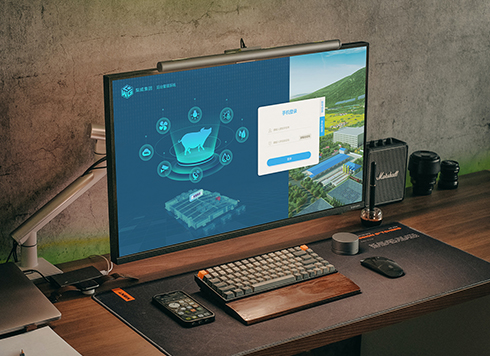 Livy Pig Farming IoT Platform UI Design
This IoT system uses sensors to monitor hog ...
-
 UI Design & Prototype for Sunwayland's ThingNet IIoT Platform
UI design and prototyping for ThingNet IIoT ...
-
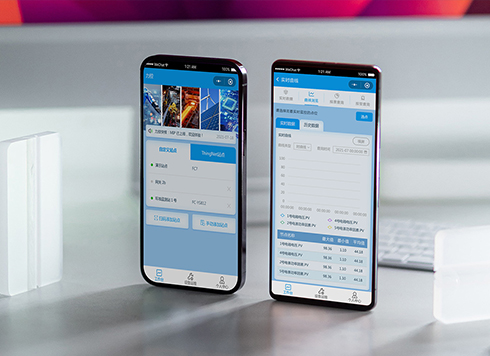 Likong Industrial IoT Tech Co., Ltd. Mini-program UI/UX Design
IIoT firms: mobile mini-program + platform. ...
-
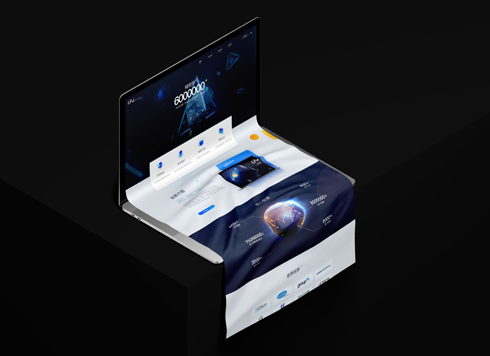 UI Design of the Internet Advertising Platform (a Sci-tech Sense Official Website)
The corporate website UI features a futuris ...
-
UI Design Essentials: Core Principles, Design Process, and Common Pitfalls
Date: Aug 6, 2026 Read: 80
-
How to Approach UI Design: Core Principles, Process, and Evaluation Methods
Date: Aug 5, 2026 Read: 103
-
UI Design Practical Guide: From Basic Standards to Solution Selection
Date: Aug 6, 2026 Read: 108
-
UI Design Guidelines: How to Build an Actionable Design System?
Date: Aug 3, 2026 Read: 90
-
UI Interface Design: A Complete Guide from Principles to Implementation
Date: Jul 24, 2026 Read: 154