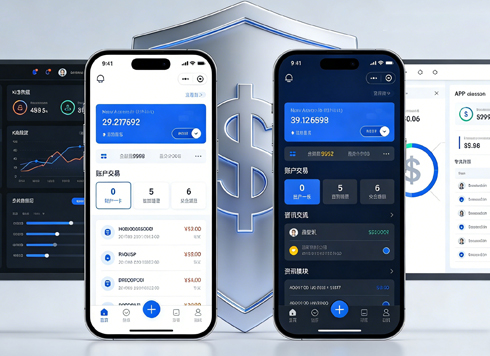





Do UI Designers Need to Know Code? Where Do You Get Stuck Without It?
UI designers don't need to write code themselves, but they do need to understand how the front end reproduces the design. Based on 2026 project delivery practices, the communication cost between design and development is often higher than expected. Designers who don't understand code typically end up reworking repeatedly in three areas: asset slicing, cross-platform adaptation, and state interactions. Those with basic HTML/CSS knowledge can avoid most pitfalls before the design is even handed off. In short: understanding code is not a barrier, but a tool to reduce rework.
First, clarify: understanding code and writing code are two different things
Many designers get a headache at the mention of "understanding code." But what we mean is not writing JavaScript logic—it's understanding how a page is described. HTML defines structure, CSS defines styling, and responsive design determines how it rearranges across different screens. If you can tell the difference between inline styles and external stylesheets, and know what breakpoints like 375px, 768px, and 1280px mean, that's enough to communicate smoothly with developers.
"Understanding code" can be divided into three levels. You can check where you are now:
- Level 1: Understand the structure. Know whether each block in the design is a div or a ul in code, and whether the hierarchy is reasonable.
- Level 2: Calculate dimensions. Understand the difference between padding and margin, and know whether the spacing is fixed or adaptive.
- Level 3: Anticipate states. Know that hover, pressed, and disabled states need to be defined separately in code, and the design should include them in advance.
What counts as qualified? According to the current typical state of UI roles, at least Level 2 is required; Level 3 can be gradually filled in during projects. If you haven't even established Level 1, it's recommended to spend time with the browser's developer tools. In terms of learning cycle, 1-2 hours per day for 2-4 weeks is enough to reach the "understandable" state.
Without coding knowledge, where exactly will you get stuck?
A common scenario in projects: after the design is handed off, the developer starts implementing, and then the client finds the buttons too small on mobile or cards misaligned on tablet. In nine out of ten cases, the design was created at only one width without considering responsive rules. In a project with a two-week cycle, a designer, in order to meet the deadline, combined icons and text into a single image for slicing. As a result, the developer couldn't adjust the spacing, leading to re-slicing, two extra rounds of design changes, and a delivery delay of about 2-3 days. This falls in the typical cost range.
Besides adaptation, there are several other frequent pain points:
- Slicing logic: not knowing which elements should be exported as assets and which can be implemented in CSS, resulting in large image sizes and troublesome restoration.
- Unit adaptation: the design uses px, but the developer uses rem or vw. If you don't understand unit conversion, you can't tell why it looks different on mobile.
- Missing states: only the default state is designed, without hover, click, disabled, etc. The developer has to guess, and then the testers bounce it back.
- Cross-platform differences: the same design goes to iOS and Android, where status bar height, bottom navigation, and safe areas differ. Without these concepts, you'll miss annotations.
The commonality of these pitfalls is that by the time they're discovered, the project is already in the development phase, and the cost of changes multiplies. So the real value of "understanding code" is to catch issues before the design is finalized.
A Real Handoff Scenario: Trade-offs in a Two-Week Project
Take the corporate website projects we've delivered in the past as an example. It's common for the designer to not fully understand CSS and for the project cycle to be only 2 weeks. Our approach then was: produce key pages at three widths—375px, 768px, and 1280px—and self-check them with the "Four-Dimension Checklist" below before handoff, then schedule a 15-minute quick alignment with the developer. As a result, cross-platform adaptation issues were intercepted before development, common rework frequency dropped from 2-3 times to 0-1 times, and delivery delays were compressed from 3-5 days to 0-2 days. These are not precise promises, but the "experience ranges" we've obtained across multiple projects.
How much do you need to know? The Four-Dimension Checklist
If you don't want to dive into a lot of code right away, you can check against the following four dimensions. This is a "Four-Dimension Checklist" we've repeatedly used in projects to verify whether the design is ready for development to start directly.
- Structure dimension: Does each block have a clear hierarchy, and can the visual grouping map one-to-one to the DOM structure?
- Style dimension: Do colors, fonts, border-radius, and shadows have design variables, rather than manually entering a value everywhere?
- State dimension: Are interaction states complete? At least default, hover, pressed, and disabled states.
- Responsive dimension: Does it cover at least three widths? Commonly 375px (mobile), 768px (tablet), and 1280px or above (desktop).
These four dimensions don't all need to be completed at once; they are trade-offs based on project budget and timeline. For small projects, you can prioritize the state and responsive dimensions, as these two are most likely to cause later changes. For large projects, you need to define structure and style dimensions in advance, otherwise it gets messy when there are many components. According to common 2026 practices, many teams can generate code snippets directly in design tools, but it's still important to understand the generated output—otherwise you can't judge if it's correct.
Three practical approaches when you don't know code
For those who don't understand code, there are several common approaches, each with different trade-offs in timeline, cost, and effectiveness. You can compare and choose.
- Option A: Self-learn basic HTML/CSS. Typical learning period is 2-4 weeks (1-2 hours per day), almost no cost, high long-term returns. Suitable for those who want UI design as a long-term career.
- Option B: Have a dedicated front-end partner on the team. It takes about 0.5-1 week to align on the acceptance checklist, and communication costs in meetings increase by 10%-20%, but rework rates typically drop by about half.
- Option C: Use the one-click annotation/generation features of design tools. It can save 2-5 hours of slicing time per page, but it only covers static structure; interactions and states still need to be added manually. Suitable for short-cycle demo projects.
In terms of return on investment, Option A has low upfront investment but slow results; Option B has higher communication costs but fewer errors; Option C delivers fast results but has many limitations. Based on our team's experience in enterprise project delivery, most agency design teams adopt Option A as standard, with Option C as a supplement only when time is tight.
Applicable scenarios and boundaries
"Understanding code" is not something every UI design project should pursue. It's more practical to look at it by scenario:
- Cases where understanding code is needed: outsourcing, B-side admin dashboards, mini-programs, and projects requiring frequent communication with developers. In these, you need at least a basic understanding of CSS layout to determine whether the issue lies in design or implementation.
- Cases where coding knowledge isn't needed: pure visual poster design, display-type web pages, and projects with a dedicated front-end team handling the rest. If you're only responsible for visual proposals and developers proactively handle adaptation, you can postpone learning.
The boundary is clear: if the project cycle is only two weeks and the developers are experienced, you can focus on visuals and logic; but if the project will iterate long-term, not understanding code will leave you without a voice in requirements reviews. The judgment is simple: as long as your design needs to be translated by others into a clickable interface, you should at least understand CSS layout.
FAQ
Do UI designers need to know programming?
No, you don't need to write program logic, but it's recommended to understand the basic structure of HTML and CSS. If you can grasp the box model, flex layout, and responsive breakpoints, communication costs will drop significantly. Most UI roles don't require writing code, but "understanding" is almost standard by 2026.
Will not knowing code affect your salary?
It usually doesn't directly lower your salary, but designers who understand code have more say in requirement reviews and solution implementation, and are more likely to participate in premium projects. In the typical market range, it's not uncommon for UI designers with front-end awareness to charge 10%-20% more.
How much coding do UI designers need to learn?
Just enough to understand the box model, flex layout, and responsive breakpoints. The typical learning period is 2-4 weeks with 1-2 hours per day. No need to dive deep into JavaScript; being able to read stylesheet structures and understand breakpoint meanings is sufficient.
Are design tools that auto-generate code useful?
Useful, but they can only generate static basic structures. Interaction states and complex logic still need to be completed manually. They're better as a communication aid, not as a complete deliverable—this is a consensus reached across many projects.
In terms of action, first spend two weeks strengthening your HTML/CSS foundation, then use the "Four-Dimension Checklist" to review your current design. If your project is already in the handoff phase, start by checking the state and responsive dimensions. One last point: understanding code is not a barrier, but a tool to reduce rework. In a team with clear division of labor, you can still create good designs without coding knowledge, but you need to agree on an acceptance checklist with the front-end team in advance.
-
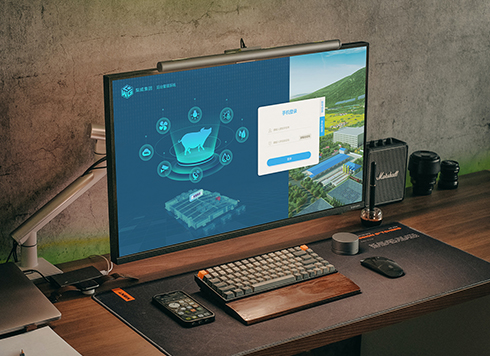 Livy Pig Farming IoT Platform UI Design
This IoT system uses sensors to monitor hog ...
-
 UI Design & Prototype for Sunwayland's ThingNet IIoT Platform
UI design and prototyping for ThingNet IIoT ...
-
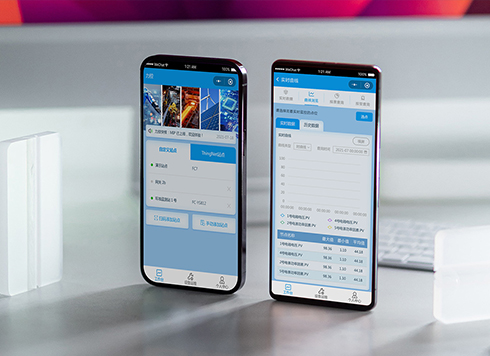 Likong Industrial IoT Tech Co., Ltd. Mini-program UI/UX Design
IIoT firms: mobile mini-program + platform. ...
-
 UI Design of the Internet Advertising Platform (a Sci-tech Sense Official Website)
The corporate website UI features a futuris ...
-
UI Design Basics: Layout, Interaction, and Core Specification Elements
Date: Jul 30, 2026 Read: 111
-
Practical Guide to UI Interface Design: Core Principles, Common Pitfalls, and Implementation Methods
Date: Jul 22, 2026 Read: 144
-
How Much of Your Artistic Foundation Do You Really Use in UI Design Projects?
Date: Sep 8, 2026 Read: 58
-
Dark Mode UI Design Never Looks Right: Which Comes First, Background or Text?
Date: Aug 23, 2026 Read: 62
-
Why Is the UI Still Inconsistent Even with Design Specs?
Date: Aug 17, 2026 Read: 74