




How Much of Your Artistic Foundation Do You Really Use in UI Design Projects?
Let's start with a takeaway you can quote directly: In UI design projects, what truly matters is visual judgment—not whether you can sketch or draw from life. In 2026, pure hand-drawing is not a high-frequency requirement for product interfaces, and dependency varies greatly by product type. From projects I've actually worked on and reviewed, information-efficiency products such as admin dashboards, data dashboards, and tool-based mini-programs place low demands on drawing; brand websites, gaming/social products, and highly visual marketing pages are another matter.
If you ask “how much of your artistic foundation is actually used in UI projects,” a more experience-based answer is: it depends on the project type—don't equate “can draw” with “good at UI.” Below, I break it down by delivery scenario so you can see what you're actually missing before you enter the field or switch roles.
Let's Be Clear: “Artistic Foundation” in UI Is Not What You Drill in Art-Entrance-Exam Prep
In its narrow sense, artistic foundation refers to observation skills, aesthetic taste, and hand-drawn expression. In UI work, however, what you use much more are grids, typography, color, spacing, and hierarchy—these belong to “design language,” not “drawing.” In actual production, interfaces require you to organize information in an orderly way, cover all states completely, and give explicit feedback.
A person who can quickly tell why a paragraph in the sidebar feels too heavy or why a button doesn't stand out will usually be more reliable when leading a project than someone who can only trace images. In 2026, the core qualification for UI design has shifted from “drawing by hand” to “judgment and structured expression.”
- Painting/rendering ability: sketching, outlining, coloring—used more for illustrations and original icon creation; i.e., “can draw.”
- Layout and a sense of order: spacing, alignment, typographic hierarchy; i.e., “can arrange.”
- Aesthetic judgment: seeing where a draft is off-balance or where contrast is inadequate; i.e., “can see.”
- Engineering and boundary awareness: knowing which states need to be covered and which rules should be reused; i.e., “can build.”
Most UI design tasks require the last three. Drawing ability is more of a bonus that becomes a hard prerequisite only in specific projects.
When You Can't Draw, Four Areas Most Often Expose You in UI Work
A common scenario in projects: designers without an art background survive early on by copying, but when they need to design a key visual for a campaign page, they start endless revision rounds. That is usually caused by an insufficient visual vocabulary, not by “can't draw.” Based on project retrospectives, the four most common sticking points are:
- No pen in hand when you need to express ideas quickly: In discussions with product managers, others can sketch a wireframe on the spot; you can only describe it verbally, and communication becomes less efficient.
- Over-reliance on pre-made assets: When icons or empty-state illustrations are needed, you can only search asset libraries; styles often don't match, and the result looks messy.
- Lack of composition experience in free-form layouts: You can handle templates, but when starting from zero, you're unsure how to handle whitespace, contrast, and visual weight.
- No rationale to cite in visual reviews: When asked “why is this color deep here and light there,” you might answer “it just looks off,” with no real basis for judgment.
These gaps are not about “can't draw” itself, but about insufficient training in “visual expression choices.” Once you identify the sticking points, you can gradually fill them with the methods below.
You Can Still Build Solid Interfaces Without Art School Background: The Four-Pillar Method
Rather than spending months on sketching, a more cost-effective step is to first strengthen visual judgment that is directly connected to UI. This approach is called the “Four-Pillar Method.” It allows beginners to establish a usable, verifiable sense of interface without relying on hand drawing.
- Assemble and copy a library of 20 high-quality UI samples: Pick 20 interfaces from mature products and copy them pixel by pixel. While copying, don't change the structure—just reproduce spacing and font sizes. You pass when you can explain why the original looks orderly.
- Practice typography and spacing pairing: Define two font sizes for headings, body text, and captions, and pair them with different line heights and spacing to create three sets of reusable rules. You know you've got it when you can compose type without thinking about dimensions.
- Practice limited monochromatic palettes: Restrict each design to one hue plus neutral grays. For instance, if the main action color is blue, all other colors are derived from blue's lightness and saturation variations. Keep each screen to three colors max.
- Organize your “no-drawing asset” boundaries: Gather commercially usable icon sets, illustration packs, and line-art assets into one place, and log license sources and style keywords. When you need a graphic, you should be able to locate a matching asset within 10 minutes.
This process typically takes 4 to 8 weeks, and it can run alongside traditional art training without conflict. After one round, when you look at real project files, your feedback can move from “nice/ugly” to specific judgments like “spacing is misaligned, hierarchy isn't separated, contrast is insufficient.” That is the underlying capability UI design truly needs.
Experience Range Comparison: Should You Learn Drawing or Visual Fundamentals First?
Many people agonize over whether to learn sketching before moving into UI. Based on project delivery outcomes, the two paths differ in time investment and applicable directions. Here is a comparison you can check—prices and labor costs vary by region and teaching method, so these are experience ranges, not hard numbers:
- Plan A: Build visual fundamentals directly Typical range: 2–4 weeks. Capabilities: clear page order, consistent controls, complete states. Trade-off: original illustrations and complex key visuals may still be difficult, so you may need external assets or teammates to fill gaps.
- Plan B: Build hand-drawing skills before entering Typical range: 6–12 months, requiring consistent practice. Capabilities: stronger icons, illustrations, and visual style expression. Trade-off: long lead time, slow near-term career payoff, and software delivery skills may stall without real projects to calibrate.
From the experience range, if your target role is tool products, backends, or data visualization, Plan A fits delivery needs better; if you're aiming at brand sites, games, or campaign pages, Plan B deserves priority. The worst case is using Plan B expectations for Plan A work—thinking “once I learn sketching, I can do UI”—and then getting stuck on page organization.
Field Experience: What Carries You When Time Is Tight and You Can't Illustrate?
Let me share a real delivery scenario: an enterprise data dashboard project with a short schedule, a designer who had switched careers and had no drawing background, and a client rule that image assets could only come from clearly licensed libraries. Those were tight constraints. We didn't try to shore up illustration skills; instead we focused on type hierarchy, spacing systems, and full state coverage.
The method: first set global color variables and spacing baselines, then standardize card components. Buttons used one primary color plus the corresponding disabled state, and all icons came from the same line-icon set. The key visual wasn't flashy, but because the reading rhythm across tables, charts, and filter areas never slipped, the overall polish was steadier than if we'd chased a style overhaul. The first revision round took only about an hour—no waiting two or three days for new output.
The trade-off was a weaker visual signature; the client wasn't wowed. But trading a bit of visual delight for on-time delivery made sense in that context. Experience range: in admin or tool projects that don't require original illustration, a designer without an art background typically needs about 2–6 weeks from intake to stable output. If a project demands strongly styled key visuals every time, that range lengthens, and you can't skip hand-drawing or AI-generation skills.
Applicable Scenarios and Boundaries: Which UI Projects Should Worry About Artistic Foundation?
Not every UI role requires drawing output. Artistic foundation affects the route, not the finish line. With a disciplined process and a review checklist, designers without art degrees can deliver equally stable results.
- Projects you can start with: admin backends, data products, tool apps, mini-programs. These interfaces prioritize information density and operational efficiency, with mature visual patterns; drawing requirements are very low.
- Projects to approach carefully: brand-focused showcase sites, visually driven marketing pages, illustration-style UI, and products requiring many original graphics. In these, aesthetic differences are amplified directly.
- When you don't need to force sketching: If you only worry that “I can't draw so I won't get hired,” skip the sketching course. Instead, build three complete interface projects and polish the parts you can control.
In delivery contexts, checking asset licensing comes before “can you draw.” In 2026, AI-generated assets are increasingly common in enterprise projects, but licensing boundaries and style consistency remain ambiguous. Before placing non-drawn assets into a design, confirm they are safe for commercial use so you don't have to swap images right before launch.
FAQ
Will I Be at a Disadvantage in Interviews If My UI Portfolio Has No Drawing Samples?
Not directly. A portfolio should prove layout organization, component discipline, and design judgment—not drawing. If you have no hand-drawn work, show at least three real interface projects that demonstrate how you handle spacing, hierarchy, and states. That is more useful than a pile of copies.
Can I Freelance If I Can't Draw Illustrations?
Yes, you can work around it, but only for projects that are corporate sites, backends, or full-UI deliverables, not illustration-led key visuals. Before accepting the job, confirm with the client that original illustrations are not part of the deliverables, then fill gaps with standard components and licensed assets. In this experience range, pure-interface jobs make up a meaningful portion of admin-side work.
If I Aim for a Highly Visual Role, Is It Okay to Skip Drawing Practice?
Probably not. For brand websites, campaign pages, or illustration-heavy UI, clients almost always expect original visual control. If you rely only on AI-generated assets, you still need the ability to edit and unify style. I'd recommend at least two or three months of sketching and copying as a stopgap.
Do Tool-Based UI Projects Need No Art Foundation at All? Is Following Standards Enough?
You can start working. In admin and data projects, as long as you keep grid, typography, states, and component consistency in check, the output quality won't be poor. But standards alone leave you unprepared for key visuals, so when brand requirements surface later, you'll need to replenish your asset toolkit and aesthetic grounding.
If you are hesitating because you think you can't draw, first spend 2–4 weeks completing one set of copies and three color exercises, and objectively find your bottleneck. If you're stuck on spacing, typography, or contrast, practice visual fundamentals and you will catch up. If you're stuck on “I don't know what visual fits the tone,” keep building your asset library and aesthetic references. That is not tied to drawing ability. Artistic foundation can give you a buff, but it should not be a barrier to entry.
-
 Livy Pig Farming IoT Platform UI Design
This IoT system uses sensors to monitor hog ...
-
 UI Design & Prototype for Sunwayland's ThingNet IIoT Platform
UI design and prototyping for ThingNet IIoT ...
-
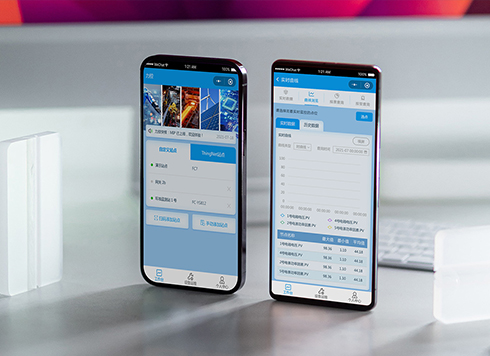 Likong Industrial IoT Tech Co., Ltd. Mini-program UI/UX Design
IIoT firms: mobile mini-program + platform. ...
-
 UI Design of the Internet Advertising Platform (a Sci-tech Sense Official Website)
The corporate website UI features a futuris ...
-
Dark Mode UI Design Never Looks Right: Which Comes First, Background or Text?
Date: Aug 23, 2026 Read: 83
-
Do UI Designers Need to Know Code? Where Do You Get Stuck Without It?
Date: Aug 20, 2026 Read: 89
-
Why Is the UI Still Inconsistent Even with Design Specs?
Date: Aug 17, 2026 Read: 87
-
UI Design: Why Does It Still Look Amateur When Following Basic Standards?
Date: Aug 16, 2026 Read: 133
-
UI Design: Why Does an Interface Look Tidy but Feel Awkward to Use?
Date: Aug 14, 2026 Read: 109