




Search results keep jumping before users finish typing—is the search firing too often?
Whether search runs as you type or waits for the user to press Enter is not about which is more fashionable. It comes down to three things: whether users are “unsure of the keyword and want to try as they look,” or “know what to search for and confirm after typing”; whether results are a handful of similar suggestions, or dozens to hundreds of records that need sorting and pagination; and how much query cost each keystroke incurs. Based on typical ranges in 2026 project delivery, scenarios with a controllable result set and local or lightweight filtering suit instant search with 200–500ms debounce; cross-database fuzzy retrieval, heavier single queries, and results that need sorting or pagination are steadier with Enter or button triggering. The real trouble spot is the third one: the request has already been sent, but the interface gives no “searching” feedback at all.
Why search trigger timing directly affects whether users can find what they need
Trigger timing determines three things: the pace at which users see results, how many requests hit the backend, and whether users are willing to try another term when nothing is found. Instant search brings results forward so users can look while typing—good for exploratory scenarios where they are “not sure what the keyword looks like.” Enter-key triggering hands the pace back to users—good for definite scenarios where they “know what to search for and confirm after typing.” Neither is inherently better; only the fit differs.
Another often-overlooked point: the sense of completion in search comes from feedback, not from the trigger method. With either trigger, if nothing appears after input—no loading indicator, no result count, no “no matches” note—users will assume the interface is stuck, not that the query missed.
- Instant search: suits cases with few fields, a controllable data volume, and fuzzy keywords, such as tag selection, member lookup, and address book positioning.
- Enter or button triggering: suits cross-table retrieval, results that need sorting and pagination, and heavier single queries, such as orders, logs, and tickets.
- Hybrid approach: gives only a small set of similar suggestions while typing, then shows the full result list after Enter—common in admin backends that need both typeahead and precise querying.
Instant search vs. Enter search: the difference is not just whether you press Enter
Put both under the same set of dimensions, and the differences concentrate around three lines: request count, result stability, and user expectations. Understanding these three is more useful than memorizing how a particular control is configured.
- Trigger method: instant search fires on every input change, so it needs debounce; Enter search fires only once on submit.
- Request count: a typical range for instant search with one round of keywords is 1–5 requests, depending on debounce duration and typing speed; Enter search is generally 1.
- Result format: instant search suits flat previews and short suggestion lists; Enter search suits a full results page with filters, sorting, and pagination.
- User expectations: under instant search, users assume “whatever I type shows up,” and have less patience for empty results; under Enter search, users know they are executing a query and can tolerate a brief wait.
- Typical pitfalls: instant search is easily retriggered by IME composition states, pinyin, and repeated backspace keys; Enter search tends to lack confirmation feedback that “Enter was already pressed.”
Another way to put it: instant search shifts cost from front-end interaction to the backend and rendering; Enter search shifts cost to the user’s confirmation action. Choosing between them is essentially about who can better bear that cost.
Three-step decision: first choose the trigger method, then set parameters
Rather than choosing by feel, ask three questions in order. The order matters: first look at user goals, then result format, and finally technical cost. If you start with “the backend can’t handle it,” you can easily end up with a solution users won’t buy into.
- Look at user goals: are users “unsure of the keyword and want to try as they look,” or do they “know what to search for and submit after typing”? The former leans instant; the latter leans Enter.
- Look at result format: are results a few similar items, or dozens to hundreds of records that need pagination and sorting? The former can be instant; the latter is better with Enter plus a results page.
- Look at query cost: single-query latency, concurrency, and whether cross-database access is needed. The higher the cost, the more you rely on gates like debounce, minimum character count, and canceling old requests.
If all three steps point to instant search, add three parameters: debounce duration (experience range 200–500ms), minimum trigger character count (typically 1–2), and whether to cancel the previous unreturned request. These numbers have no universal standard; tune them to actual typing speed and API latency. If you achieve “no screen flashing, no jumping position, no duplicate requests,” it is basically stable.
Delivery site: what happens when requests fire before pinyin is committed?
There was an admin management page where the fields and assets were all ready, and the developer simply bound an input event to the input box and sent requests. The constraints at the time were average API latency of a few hundred milliseconds and users mostly typing with pinyin. As a result, when a user typed “user management,” the composition stage kept firing, producing six or seven requests in a single input, the list flashed along with it, and the user thought they had clicked the wrong spot. Later, we added about 300ms debounce, handled the IME composition state according to the browser’s official documentation, and required at least 2 characters before sending a request. Invalid requests dropped to a fraction of the original, at the cost of an extra half-day to a day of debugging before and after. This kind of debugging is very common in project delivery; the experience range is usually 0.5–1 day. The hard part is not the technology, but that no one wrote it into the acceptance checklist.
- IME composition state: do not treat pinyin before it is committed as the final keyword, or you will query with half a syllable of pinyin.
- Empty results: instant search more easily produces empty results, so state “no matches—try another keyword” rather than leaving a blank space.
- Clear and re-search: after clearing the input box, it should return to the initial list, not keep showing the previous results.
- Request race conditions: requests sent earlier and later may return out of order; always use the latest input as the source of truth, or results and keywords will fail to match.
- History and suggestions: search history and popular terms can help in a pinch, but they must be closable or collapsible, or they will block the input area.
Boundaries for when it applies and when it does not
Cases suited to instant search: a controllable result set (typically within dozens of items), possible local or lightweight filtering, fuzzy user keywords, and no complex sorting or pagination needs in the interface—for example, tag selection, member lookup, and quick product positioning. Cases suited to Enter triggering: cross-table fuzzy retrieval, results that need sorting and pagination, high query cost, or permission filtering—for example, orders, logs, and financial transactions.
It is also worth spelling out when not to use instant search: if a single query takes several hundred milliseconds or more, if users search only a few times a day, or if the data itself cannot expose suggestion results, forcing instant search only buys you flashing screens and invalid requests. Enter plus a clear results page is actually less trouble. Boundary sentence: When the cost of “querying on every input” is clearly higher than the benefit of saved user waiting, instant search is not worth it.
FAQ
What debounce value in milliseconds is suitable for instant search?
The experience range is mostly 200–500ms: use the lower end when typing is fast and the API is stable, and the higher end when the API is slow or there are many results. The key is to send only one request during the entire process of typing a complete term.
If search fires before the user’s pinyin is committed, is that a bug?
Most IMEs continuously fire input events during the composition stage, which is normal. You should take the keyword only when composition ends, handling it according to the event order in the browser’s official documentation.
With Enter triggering, do you not need any instant feedback?
You still do. After Enter is pressed, at least a loading indicator and result count should appear; otherwise users suspect Enter did not work. A common approach is to give the search box or button an in-progress state first.
When search returns no results, is adding “not found” enough?
No. A common approach is to also offer actionable next steps, such as broadening the keyword, clearing filters, or recommending related terms, so users have a path forward.
Are popular terms under the search box redundant?
They are valuable when users do not know how to describe a keyword, but make sure they do not block input and that after selection, users can return to an editable state. Otherwise they add clutter.
If you are deciding on search interaction, run through the three-step check first: user goals, result format, and query cost. Then decide instant versus Enter, and write debounce duration, minimum character count, empty-result copy, and request race handling into the acceptance checklist. It suits scenarios with controllable results and fuzzy keywords; if single-query cost is clearly high, or users search only a few times a day, let users press Enter—do not sacrifice stability for “instant.”
-
 UI Design & Prototype for Sunwayland's ThingNet IIoT Platform
UI design and prototyping for ThingNet IIoT ...
-
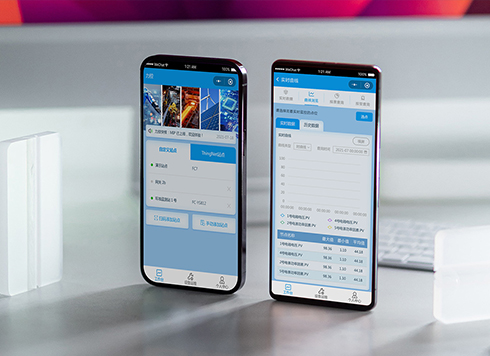 Likong Industrial IoT Tech Co., Ltd. Mini-program UI/UX Design
IIoT firms: mobile mini-program + platform. ...
-
 Livy Pig Farming IoT Platform UI Design
This IoT system uses sensors to monitor hog ...
-
 UI Design of the Internet Advertising Platform (a Sci-tech Sense Official Website)
The corporate website UI features a futuris ...
-
A quantity slider in a form keeps landing one or two off—should we add an input or reduce the step?
Date: Oct 15, 2026 Read: 0
-
Admin tables are fine to scan on desktop, but at nearly 20 rows per screen for reconciliation they blur—is the row height too tight or are separators missing?
Date: Oct 14, 2026 Read: 8
-
Status labels look distinct on a computer but look the same on a conference room screen—is it projection color shift, or are the labels only using color?
Date: Oct 13, 2026 Read: 9
-
Some amounts in a table have two decimals and some don't, and right-aligning still leaves them misaligned—is the decimal point not aligned?
Date: Oct 12, 2026 Read: 15
-
When an admin list is empty on first open and users keep waiting for it to load, is the empty state failing to tell them they can create one?
Date: Oct 11, 2026 Read: 20