





The report defaults to the last 7 days, but the exported file name has no dates—finance opens the attachment and first asks which days it covers; should the default range carry into the export?
Conclusion first: whether to provide a default time range depends on whether the report is opened on a fixed cadence; but once a default is provided, it cannot be hidden only in the filter box—the page title, chart subtitle, and export file name should all make the period self-evident. Based on typical 2026 back-office delivery practice, for fixed-cadence workbenches such as daily reports, monthly reports, and shift statistics, a default range can remove one repeated selection every day; for ad hoc queries, cross-month reconciliation, and audit traceability pages, inserting a default “last 7 days” makes users prone to assume that is all the data, and the typical cost is missed records, follow-up after export, and repeated checks later. The default value itself is not the problem; the problem is whether it is written clearly and can be changed with one click.
A default range cannot live only in the filter box; the export file must also show which period it covers
Many people treat the default time range as a pre-filled input box, but it is more like a sentence written on the page: “The numbers you see are within a certain time range, not all of them.” If that sentence is not clear, users will take “last 7 days” as “all-time cumulative” and “this month” as “everything.” In back-office systems, this kind of misreading often does not raise an error on the spot; it surfaces during month-end reconciliation, meeting reports, or attachment forwarding, when the definitions do not match, and the rework cost is usually higher than writing one more explanation at the start.
So when designing time filters, what really needs to be decided is not “how many days the default should be,” but three things: who sets the range, where the range is written, and how the user changes it in one step. If any one is missing, the default turns from a convenience into extra work. A common practice is to put the range directly into the chart title, list subtitle, and export file name—for example, “Last 7 days inbound detail_2026-03-08_2026-03-14”—rather than hiding the dates only in the filter bar.
- Visible: The current range should appear once near the data area, not only in the filter box.
- Changeable: From seeing the data to changing to another range, it is preferable to keep the number of steps within two.
- Verifiable: The time definition (whether the current day is included, which time zone applies, and whether order time or completion time is used) should be discoverable; it cannot exist only in a verbal agreement.
Four checks first: cadence, role, definition, and visibility
The order of these four checks should not be reversed. Cadence comes first because a default range is essentially taking a position for the user: “Do you often look at data at this granularity?” Role comes next because, on the same page, the ranges finance and warehouse staff commonly use are often not the same; definition and visibility come later because they determine whether the default will be misread. If the order is reversed, it is easy to build a default that “looks thoughtful but actually has to be changed once a day.”
- Cadence: Is this report opened every day, every week, or only when someone thinks of it? Reports opened every day are suitable for a default; reports opened only occasionally are better given “All / No limit” or left blank for the user to choose.
- Role: On the same report, operations may look at the current day, finance at last month, and warehouse staff at shifts. For pages with large role differences, rather than debating how many days the default should be, it is better to preset 2–3 commonly used ranges by role (an experience range) and show a notice when the role is switched that the range has changed.
- Definition: Should the end date be 23:59:59 of the current day, or 00:00 of the next day as a half-open interval? Is order time or completion time used? If this is not written clearly, later disputes will come back here.
- Visibility: When the range changes, do the page title, export file name, and chart subtitle update in sync? If they cannot be synchronized, it is better to provide no default than to provide an invisible default.
After these four checks, a conclusion usually emerges: only when the cadence is fixed, roles are stable, the definition can be written down, and the range is visible should a default be provided; if only one or two are met, adding “quick range buttons” first is more stable than adding a default value. Quick buttons leave the choice to the user and also make definitions such as “last 7 days” and “last month” clear in the interface.
Delivery in practice: if the definition is not written into the export name, another round comes back after acceptance
In a 2026 project where a store daily report and a finance monthly report shared one report, the constraints were a data lookback period of only a few months, role permissions still being adjusted, and a tight launch timeline. The approach was to skip role-based defaults first and keep only three quick ranges—“this month,” “last month,” and “last 7 days”—while writing the range into the chart title and export file name in sync; as a result, the first month after launch still received several reports that “data was missing half a day,” and only in the second round, after adding notes on the time zone and whether the current day was included, did it stabilize. For projects like this, the experience range for integration testing of definition notes and export naming is typically 1–3 person-days; if role-based defaults are added before permissions are stable, the typical range for rework rises to 3–5 person-days.
On pages like this, boundary definitions are often more likely to cause rework than the default value itself. Whether the current day is included, which time zone applies, and whether cross-month periods use calendar months or 30-day subtraction—these three items should be written as a one-line note before acceptance and placed near the data area or in the export header.
- Whether the current day is included: A common practice is to use a closed interval and state it explicitly, or to use a half-open interval in the code layer to avoid double counting—but the interface copy must change accordingly.
- Time zone: In scenarios such as cross-border orders and multi-region warehousing, a one-day discrepancy commonly appears; the page should preferably state which time zone the statistics use.
- Cross-month and cross-year: The start and end of “last month” should be calculated by calendar month, not simply by 30-day subtraction; otherwise reports for February and for months with 31 days are prone to mismatch.
- Acceptance method: Checking totals against one real transaction record at the start of the month and one at the end is more effective than repeatedly judging whether the page looks right.
Default strategies compared for verifiability: fixed last 7 days, remember last selection, role-based presets, and no default
These approaches are all common in 2026 back-office projects; the difference is not in technical implementation but in the cognitive load on users the next time they open the page. A fixed range is easy but rigid; remember-last-selection is flexible but can “come back with the previous trap”; role-based presets are a compromise but add a layer of configuration cost. The costs below are experience ranges; specific projects still need to adjust them by data volume and number of roles.
- Fixed last 7 days: The typical range for implementation and integration testing is 0.5–2 person-days; suitable for pages that have just launched and whose roles have not yet stabilized; the risk is that monthly-report users have to change one extra step every time.
- Remember last selection: Requires handling cache, user switching, and multi-role fallback; the typical range is 1–3 person-days; suitable for personal query pages, but the title should show the old range.
- Role-based presets: Depend on a stable permission system; the typical range is 3–8 person-days, closer to the upper limit as the number of roles increases; better experience but higher configuration cost.
- No default, only quick ranges: Lower development cost; the typical range is 0.5–1 person-day; suitable for audit, traceability, and ad hoc data retrieval; the cost is one extra click each time.
Applicable and non-applicable boundaries
When a default range is suitable: The page is opened frequently by the same group of people, the statistical granularity is stable, the range definition can be explained in one sentence in the title, and users can change it within two steps. Examples include store daily reports, daily customer-service ticket volume, and warehouse shift inbound/outbound. On such pages, the default saves a repetitive manual operation every day.
When it is unsuitable or unnecessary: For pages such as cross-month reconciliation, audit traceability, and ad hoc data retrieval, where “the purpose is different every time,” a default instead increases the risk of misreading; when the data lookback period itself is only one or two months, a default range makes it easy for users to think the system has only that data; when role differences are large and the permission system is still being adjusted, adding quick ranges first is more cost-effective than adding role-based defaults first.
- A sentence that can be quoted on its own: A default range suits repeated viewing by “the same group of people, at the same granularity, for the same purpose”; it does not suit ad hoc data retrieval where “the purpose is different every time.”
- Another boundary: If nowhere on the page or in the export file states the current range, then that default value should not exist.
FAQ
Does “last 7 days” include today, and should that also be written in the export file?
Usually yes. The page and the export file should use the same definition; a common practice is to include today, set the end to 23:59:59 of the current day, and note this in the file name or header; if the definition is not written, recipients are prone to recalculate by calendar day.
If the user changes the range but the exported file name still has the default dates, is that a bug?
In most cases it is a UX gap, not necessarily a data error. The file name should preferably be generated from the current range; if that cannot be done for now, at least keep the page title and export notes consistent to reduce follow-up from recipients.
Is it better for a report to default to 7 days or to “this month”?
It depends on the cadence at which users view the report. For daily-report roles, 7 days is enough; for roles doing monthly reviews, “this month” fits better; when there is no clear cadence, providing quick ranges first and no default is more stable.
When multiple people share one report, should the system remember each person’s last selected range?
Personal query pages can remember it, but the title should show the old range; for shared workbenches, returning to the default is more reliable, so the next user does not mistake the previous user’s conditions for new data.
At implementation time, it is advisable to do one thing first: write the current page’s time definition, default range, number of steps to change it, and export naming into the delivery acceptance checklist, and check them item by item against official documentation and platform guidelines. This fits report pages with a fixed cadence, stable roles, and visible ranges; for cross-month reconciliation, audit traceability, and pages where roles change frequently, providing quick ranges first and no default is usually more reliable. In back-office project delivery, Xiyue Company also often follows this order—aligning definitions first, then deciding on default values.
-
 UI Design & Prototype for Sunwayland's ThingNet IIoT Platform
UI design and prototyping for ThingNet IIoT ...
-
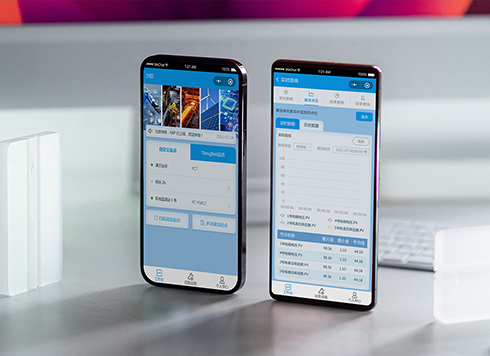 Likong Industrial IoT Tech Co., Ltd. Mini-program UI/UX Design
IIoT firms: mobile mini-program + platform. ...
-
 Livy Pig Farming IoT Platform UI Design
This IoT system uses sensors to monitor hog ...
-
 UI Design of the Internet Advertising Platform (a Sci-tech Sense Official Website)
The corporate website UI features a futuris ...
-
Date field defaults to today, and the user submits without touching it—if something goes wrong, whose responsibility is it?
Date: Oct 4, 2026 Read: 73
-
When a reimbursement form needs last year’s invoice date, should the field allow typing instead of clicking back month by month?
Date: Nov 29, 2026 Read: 2
-
A phone number copied from WeChat had spaces and dashes, but the database value was clean—did the system change it, and is that cleaning or altering data?
Date: Nov 28, 2026 Read: 8
-
Scrolling down a quote page, the cursor only passes over the unit price field and the number drops — the user says they never clicked. Is that scroll-wheel value change?
Date: Nov 27, 2026 Read: 18
-
Same mobile form: it isn't hidden by the keyboard on a colleague's Android phone, but on an iPhone it is — does that count as verified?
Date: Nov 26, 2026 Read: 19