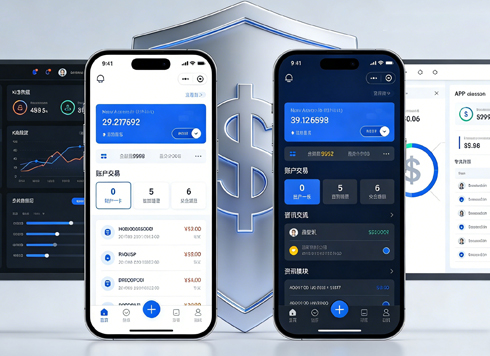





The admin login page checks “Remember me” for you by default—on a warehouse PC shared across three shifts, does the next person go straight into the dashboard once the previous shift leaves?
The “Remember me” option on an admin login page is not suitable for being checked by default across the whole site. A more stable approach is to split by device ownership and account permissions: personal fixed office devices can be checked by default, with persistent sessions typically valid for 7–30 days; shared terminals, finance, and permission-management accounts are better left unchecked, with sessions kept within the 2–12 hour experience range. The checkbox is only the entry point. What really affects user experience and the boundary of responsibility is the supporting set of three actions: expiry prompts, sign-out cleanup, and multi-device synchronization. If any one is missing, it turns into rework after launch.
A checkbox actually changes the session validity period
In an admin console, “Remember me” usually does not remember the username; it extends the validity of the server-side session or token so that the user is still logged in after closing and reopening the browser. It is not the same as the browser’s built-in password saving or page-level account autofill: the former is managed locally by the browser and disappears when you switch browsers; page autofill only saves typing and does not change login state; only when the server-side session is extended are login attempts truly reduced. When the three are mixed together, and a user says “Wasn’t it supposed to remember me?”, the person troubleshooting often does not know where to start.
Common admin systems in 2026 put persistent sessions for ordinary business accounts in the 7–30 day experience range, and compress finance, approval, and permission-management accounts to 2–12 hours. Specific values still need to be checked against enterprise security policies and terminal types. The checkbox gives the user a promise, and behind that promise there must be three actions to cover it: expiry, sign-out, and synchronization. Otherwise, the step saved will be paid for by the next user.
- Browser password saving: only effective locally, gone when switching browsers, and cannot be used as “Remember me.”
- Page account autofill: only saves typing, does not change login state, and is suitable for roles with fixed accounts.
- Server-side session extension: the real “Remember me,” and it must be paired with expiry prompts and sign-out cleanup.
Before checking it by default, run the “device–account–cadence” three questions
If you only talk about convenience, this debate will not reach a conclusion. A more stable delivery order is to ask three questions before setting the default value. The three questions correspond to terminal risk, account risk, and interruption cost; if any one is missing, it is easy for it to be brought up during acceptance.
- Device ownership: Is this computer used personally and fixed, shared by multiple people, or unclear? Personal fixed devices can be relaxed; shared terminals should be tightened.
- Account sensitivity: Does the account only view business data, or can it change permissions, view finance, and approve contracts? The latter is not suitable for long sessions.
- Usage cadence: Does the user process tickets continuously, or come back every few hours? Only cross-day usage gives “Remember me” real value.
The results of the three questions do not need to be made into a complex model. In delivery they are often grouped into three tiers:
- Can be checked by default: personal fixed device + ordinary business account + cross-day usage; validity set according to the 7–30 day experience range.
- Unchecked by default, manual check allowed: device ownership is unclear, or the account can view customer data but cannot change permissions; sessions typically 8–24 hours.
- Not provided or off by default: shared terminals, finance approval, and permission-management accounts; sessions 2–12 hours, and sign-out must clean up thoroughly.
The boundary is: the three questions are only a judgment order, not a security certification scheme. Actual implementation still needs to be checked against the identity system, single sign-on, and terminal management. When unsure, follow the enterprise’s existing policies and do not invent a set of rules on the login page.
Comparing the three approaches side by side
Looking at the three approaches together, the difference is not just an extra checkbox, but also the amount of change and subsequent maintenance. The following are typical ranges in project delivery, not quotations; actual values will vary with the existing login system.
- Approach A, checked by default: the change is typically around 0.5 person-days; continuity for users is good, but shared computers are likely to retain login state. Suitable for sales and field scenarios where personal devices dominate.
- Approach B, unchecked by default: lower change effort and a clear boundary of responsibility; the cost is that high-frequency users log in once or twice more per day. Suitable for warehouses, stores, finance, and other scenarios with many shared terminals.
- Approach C, split by device or role: the change is typically 0.5–1.5 person-days more, and also requires device trust judgment and a line of explanatory copy. Suitable for organizations where the same system serves both personal offices and shared terminals.
If budget and schedule only allow one version, first ensure “sign-out cleans up thoroughly and expiry gives a prompt,” then discuss whether to check by default. Conversely, if you only build the checkbox and sign-out only clears the current page, the next time a user opens it on a shared computer they will still go straight into the dashboard. Saving that one step leaves the risk unchanged for the next user.
On delivery: what really gets stuck is sign-out and expiry prompts
There is a typical constraint: sales wants the box checked by default to reduce login attempts while out in the field; the warehouse shares one computer across three shifts and requires that once the off-duty person leaves, no login state remains. The approach is to split by role and terminal—personal devices checked by default with 30-day memory, shared machines unchecked by default with sessions compressed to 8 hours, a line on the login page saying “Do not check on public computers,” “Sign out all devices” in the personal center, and a readable prompt before expiry. The cost is about 0.5–1 extra person-day for integration and testing, a typical range for similar projects; what it buys is avoiding a round of rework after launch over “Why is it still logged in?”
During acceptance, do not just check whether you can log in. Verify the following; only then does it pass:
- After sign-out: refreshing the page or pressing the browser back button should not take you into the dashboard again.
- Multiple tabs: after signing out in one tab, actions in other tabs should return to the login page rather than continue submitting.
- Expiry prompt: when the session expires, give a clear explanation and a re-login entry point; do not leave only a blank screen or “network error.”
- Visible state: after checking, users should know “this device is remembered” and be able to cancel it in account settings.
There are also several common pitfalls: mistaking the browser autofill yellow background for “Remember me” taking effect; sign-out clearing only the front end but not the server-side token; on a shared computer, closing only the tab instead of clicking sign-out. These are not questions of whether the interface looks good; they are acceptance criteria that were not written into the checklist.
Boundaries of what it applies to and what it does not
“Remember me” suits roles with personal fixed devices, high login frequency, and sessions that need to cross days; it does not suit terminals shared by multiple people, high-privilege accounts, or scenarios where enterprise policy already explicitly requires short sessions. The boundary can be compressed into one sentence: can the user be responsible for this device? Only if they can be responsible should a long session be given.
- Suitable: a salesperson’s own laptop, a designer’s fixed workstation, and a business admin console that needs to continue work across days.
- Not suitable: shared warehouse machines, front-desk reception machines, and finance approval and permission-management accounts.
- No need to add: when the system already uses single sign-on and sessions are managed by a unified identity platform, adding another checkbox on the login page is more likely to conflict with platform policy.
If the enterprise already has unified identity authentication, prioritize checking session duration and sign-out methods against platform standards, and do not build a separate set on the front end. When unsure, leaving it unchecked by default and giving the choice back to the user is usually easier to explain than checking it by default.
FAQ
Is “Remember me” the same as the browser saving the password?
No. Browser password saving only autofills locally and becomes invalid when you switch browsers; “Remember me” extends the server-side session. The two should be explained to users separately; otherwise they may think sign-out has already taken effect.
On a shared computer, if I checked “Remember me,” does closing the tab count as signing out?
Usually not. Closing only the tab generally does not clear the server-side session, and the next person who opens the browser may go straight into the dashboard. Users should be guided to click sign-out and confirm that the page has returned to the login page.
If the session expires while the user is filling out a form, what is the more stable way to handle it?
Prompt first, then redirect; if a draft can be provided, provide it. At minimum, keep the entered content or provide a return path, so users do not have to start over from the first screen after logging in again.
Does a mobile admin console also need this checkbox?
It depends on usage frequency. Phones are mostly carried personal devices, so a shorter remembered state can be given; shared tablets should be treated as shared terminals, and unchecked by default is more stable.
If the system already uses single sign-on, should the login page still add “Remember me”?
Mostly no. Session duration and sign-out methods are already managed by the unified identity platform, and adding another checkbox on the login page can easily conflict with platform policy. Prioritize checking against platform standards.
Before implementation, do a terminal inventory: which roles use personal devices, which are shared machines, and which accounts can change permissions. Then set the default state and session ranges. In terms of scope, ordinary business admin consoles can first trial two tiers—7–30 days and 2–12 hours—while finance and permission-related accounts are tightened separately. For systems involving unified identity authentication, follow platform standards and the acceptance checklist, and do not add rules separately on the login page. Based on common 2026 delivery practice, writing sign-out, expiry, and multi-device synchronization into acceptance items reduces rework more than debating whether to check the box.
-
 UI Design & Prototype for Sunwayland's ThingNet IIoT Platform
UI design and prototyping for ThingNet IIoT ...
-
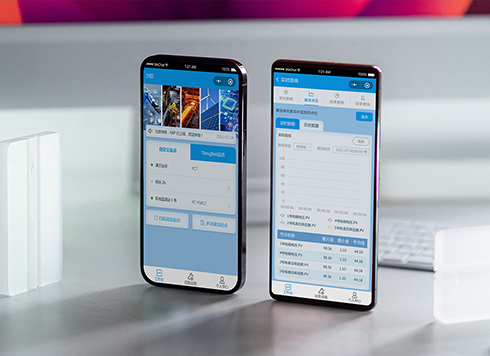 Likong Industrial IoT Tech Co., Ltd. Mini-program UI/UX Design
IIoT firms: mobile mini-program + platform. ...
-
 Livy Pig Farming IoT Platform UI Design
This IoT system uses sensors to monitor hog ...
-
 UI Design of the Internet Advertising Platform (a Sci-tech Sense Official Website)
The corporate website UI features a futuris ...
-
When a reimbursement form needs last year’s invoice date, should the field allow typing instead of clicking back month by month?
Date: Nov 29, 2026 Read: 2
-
A phone number copied from WeChat had spaces and dashes, but the database value was clean—did the system change it, and is that cleaning or altering data?
Date: Nov 28, 2026 Read: 8
-
Scrolling down a quote page, the cursor only passes over the unit price field and the number drops — the user says they never clicked. Is that scroll-wheel value change?
Date: Nov 27, 2026 Read: 19
-
Same mobile form: it isn't hidden by the keyboard on a colleague's Android phone, but on an iPhone it is — does that count as verified?
Date: Nov 26, 2026 Read: 19
-
The report defaults to the last 7 days, but the exported file name has no dates—finance opens the attachment and first asks which days it covers; should the default range carry into the export?
Date: Nov 24, 2026 Read: 29