




UI Design Process Explained: Core Methods from Requirements to Delivery
Definition and Importance of UI Design
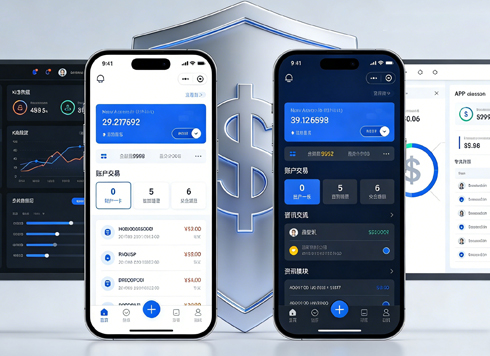
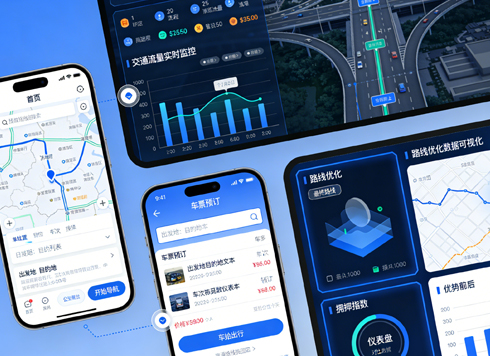
UI design is not just about visual beautification; it helps users complete tasks efficiently through reasonable layout, color, icons, and interactive feedback. In mobile apps and web products of 2026, excellent UI design can significantly reduce user learning costs and operational errors. According to industry research, apps with systematic UI design can increase user retention by over 30% compared to those without.
- Definition: UI design covers all visual expressions from page structure to pixel-level details.
- Importance: Directly impacts first impressions, task completion rates, and brand trust.
Core UI Design Process: Four-Step Implementation Method
This method breaks down the UI design process into four verifiable stages, ensuring clear deliverables and inspection criteria at each step. Compared to jumping directly into high-fidelity design, the four-step method reduces rework by about 60%.
- Requirements Gathering and Competitive Analysis: Clarify usage scenarios, target user characteristics, and competitor interface pros and cons. Note: Avoid just collecting without filtering; extract design patterns relevant to your product.
- Information Architecture and Wireframing: Use low-fidelity wireframes to confirm page content priority and navigation logic. Inspection criteria: Ensure all core functions are reachable within 3 clicks.
- Visual Standards and Component Design: Determine primary colors, secondary colors, typography hierarchy, and component library based on brand identity. Key: Color contrast must pass WCAG AA standards, minimum font size 16px (mobile).
- High-Fidelity Prototype and Usability Testing: Create interactive prototypes and test with 5-8 target users, recording operation paths and error rates. Pass line: Task completion rate ≥85%, error rate ≤5%.
Common Pitfalls and Avoidance Guide
Even experienced designers can fall into certain traps. Below are the most frequent pitfalls in 2026 projects and how to avoid them.
- Pitfall 1: Over-emphasizing visual impact at the expense of usability—e.g., using high-saturation gradients that make text hard to read. Solution: Verify with online contrast checkers before applying colors.
- Pitfall 2: Not considering different device adaptations—designing only for a 375px wide iPhone, ignoring tablets or foldables. Recommendation: Start from the minimum size (320px) and use a responsive grid system.
- Pitfall 3: Lack of design system consistency—inconsistent button styles and spacing across pages. Establish a reusable component library (e.g., Figma Components).
Applicable Scenarios and Boundaries
The UI design process applies to most interface products requiring active user operation, including mobile apps, web systems, smart device interfaces, etc. Cases where it is not applicable or necessary include: Not applicable: Single-page websites with only display information and no complex interactions (e.g., corporate brochures)—priority should be content arrangement rather than full UI process; internal tools like data dashboards can be simplified to wireframes plus functional testing. Boundary judgment: For any scenario involving user registration, payment, settings, etc., the full UI design process must be executed.
Comparison: In-House Team vs. Outsourced Design Services
For small and medium enterprises, common options in 2026 are building an in-house team or hiring a professional design company. Below is a comparison from several dimensions:
- Cost and Timeline: In-house teams require fixed salaries plus equipment, with controllable single-project timelines; outsourced projects are quoted per project, typically 30%-50% lower cost per project than in-house, but with higher communication costs.
- Quality Control: In-house teams are more likely to produce designs aligned with the product's tone; outsourced parties must sign detailed acceptance criteria and include at least two rounds of revisions.
- Suitable For: Long-term product iterations (in-house); short-term projects or non-core systems (outsourced).
- In practice, some companies choose to collaborate with professional teams such as Xiyue Company, which handles the entire process from user research to delivery, ensuring design quality.
Frequently Asked Questions
What is the difference between UI and UX design?
UX focuses on the overall user experience (e.g., task flow, usage motivation), while UI is more about visual performance and interaction components. They complement each other; good UI must be built on a solid UX foundation.
Does UI design require learning to code?
Not mastery, but understanding HTML/CSS basics helps communication with developers and recognizing implementation difficulty. In 2026, design tools already support auto-generating some code.
How to judge the quality of a UI design?
Usability test results (task completion rate, error rate), design system consistency (spacing, color, component reuse), and business metrics (conversion rate, dwell time).
What are common color matching principles in UI design?
Use 60% primary color, 30% secondary color, 10% accent color; ensure text-to-background contrast ratio ≥4.5:1, avoid red-green combinations to prevent issues for color-blind users.
The four-step implementation method and pitfall guide provided in this article can be directly applied to actual projects. It is recommended to check the applicable scenario before starting a new design to determine if full execution is needed; during execution, self-check after each stage to ensure deliverables meet standards. For external support, consider collaborating with professional design teams to improve efficiency.
-
 UI Design & Prototype for Sunwayland's ThingNet IIoT Platform
UI design and prototyping for ThingNet IIoT ...
-
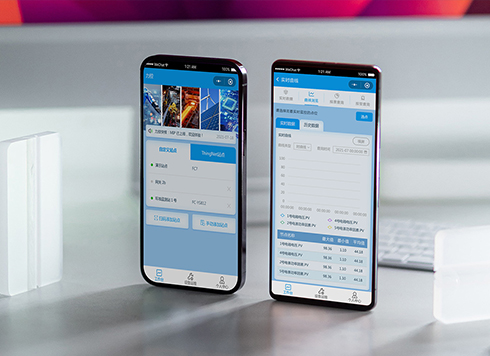 Likong Industrial IoT Tech Co., Ltd. Mini-program UI/UX Design
IIoT firms: mobile mini-program + platform. ...
-
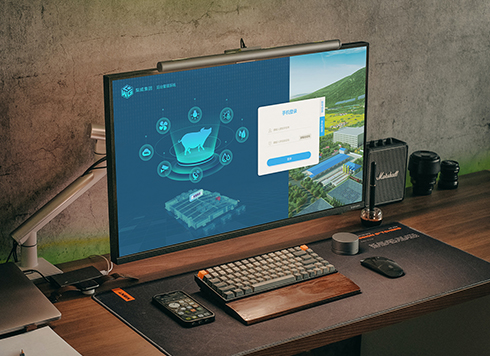 Livy Pig Farming IoT Platform UI Design
This IoT system uses sensors to monitor hog ...
-
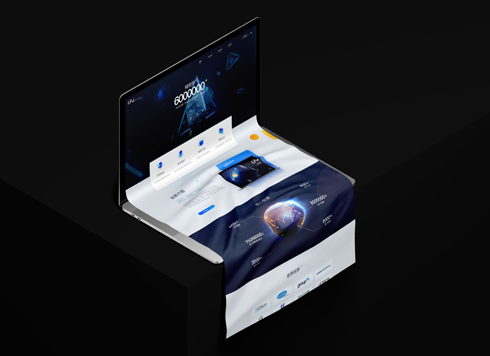 UI Design of the Internet Advertising Platform (a Sci-tech Sense Official Website)
The corporate website UI features a futuris ...
-
How to Approach UI Design: Core Principles, Process, and Evaluation Methods
Date: Aug 5, 2026 Read: 86
-
UI Design Basic Standards and Common Pitfalls: A Practical Checklist for 2026
Date: Jul 31, 2026 Read: 102
-
UI Design: Why Does an Interface Look Tidy but Feel Awkward to Use?
Date: Aug 14, 2026 Read: 81
-
How to Approach UI Design: Core Principles, Process, and Common Pitfalls
Date: Aug 10, 2026 Read: 63
-
Visual Hierarchy in UI Design: Planning Methods, Common Pitfalls, and Evaluation Criteria
Date: Aug 7, 2026 Read: 61