



Core Principles and Practical Methods of UI Interface Design
What is UI Interface Design
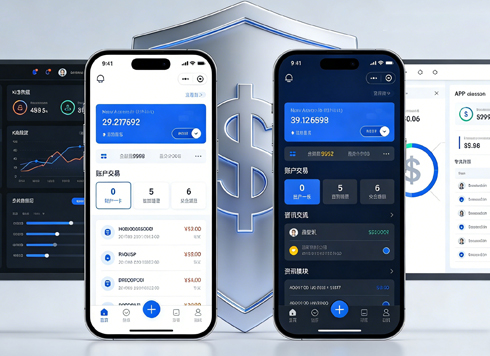
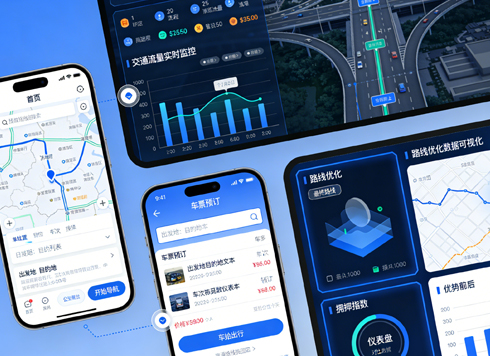
UI (User Interface) design refers to the visual and interaction planning of the human-computer interface of software or websites, covering layout, color, typography, icons, motion effects, and other elements. Its core goal is not to be "pretty" but to allow users to complete target operations without thinking. Industry practices in 2026 emphasize that UI design must be based on user behavior data and business logic, not purely subjective aesthetics.
Why UI Design is Crucial for Products
A low-quality UI can cause user churn rates to increase by more than 30% (common industry data range) while raising customer service costs. Good UI design can shorten task completion time, reduce operational errors, and enhance brand trust. For example, in mainstream SaaS products in 2026, UI optimization of form-filling pages can directly increase conversion rates by 5-15%. Therefore, UI design is not "the final beautification step" but a continuous optimization process throughout product development.
Five Principles to Follow in UI Design
- Consistency: Use the same controls and visual styles for the same actions to reduce learning costs.
- Clear Hierarchy: Establish visual hierarchy through size, color, and spacing to guide users to key points.
- Timely Feedback: Provide status prompts within 1 second after each action to avoid user confusion.
- Error Tolerance: Common actions should be reversible, and dangerous actions require double confirmation.
- Simplicity and Intuition: Remove irrelevant elements so that 80% of users can complete the main task on their first use.
Four-Step Standard UI Design Process
According to project delivery habits in 2026, the complete UI design process can be divided into four stages. Each stage has clear deliverables and acceptance criteria to avoid later rework.
- Requirements Analysis and Information Architecture: Organize user task flows and create site maps or feature lists. Note: At this stage, align constraints (such as development framework and screen size) with product managers and developers.
- Low-Fidelity Prototypes and Interaction Logic: Use wireframes to clarify page layout and transition relationships, saving iteration costs. It is recommended to quickly produce with Axure or Figma and conduct internal reviews.
- High-Fidelity Visual Design: Fill in real content based on brand guidelines, and refine colors, icons, and micro-interactions. Key: Each screen design should include a design note explaining why the layout is that way.
- Development Handoff and Acceptance: Output cut assets, annotations, and motion parameters, and cooperate with front-end for pixel-perfect implementation. In 2026, teams often use Zeplin or Figma Dev mode to reduce communication friction.
Common UI Design Mistakes and Judgment Criteria
Many teams fall into the trap of "prioritizing creativity over usability." For example, overusing custom controls leads to user discomfort, or ignoring accessibility design (such as insufficient color contrast). The following two dimensions judge UI quality:
- User Test Pass Rate: Can new users find the core function within 3 seconds without guidance? If below 70%, the information hierarchy needs revisiting.
- Visual Fidelity: Is the deviation between the developed product and the design draft within 2px? Excessive deviation breaks design expectations.
Comparison: In-House Component Library vs. Open-Source Framework
In UI design for 2026, whether to build an in-house component library depends on team size and project complexity:
- In-House Component Library: Suitable for large product teams (10+ people), ensuring brand consistency, but high maintenance costs require dedicated personnel for continuous iteration.
- Open-Source Frameworks (e.g., Ant Design, Element Plus): Suitable for small to medium projects or rapid validation periods, easy to start, mature community, but limited customization flexibility.
Applicable Scenarios and Boundaries
Deep investment in UI interface design is suitable for: high-frequency operation products for end users (e.g., e-commerce, SaaS backend, mobile apps), brand-recognized websites, and B2B products with long user lifecycles. Conversely, over-design is not necessary for: internal short-life-cycle management tools, one-time campaign pages, or scenarios where mature templates can be reused. Judgment standard: If design changes affect user efficiency or business metrics by less than 5%, prioritize usability over extreme aesthetics.
FAQ
What tools do I need for UI design?
Mainstream tools include Figma (top choice for collaboration), Sketch (popular among Mac users), and Adobe XD (Microsoft ecosystem friendly). In 2026, Figma's market share exceeds 70%, so unified use within a team is recommended.
What is the difference between UI design and UX design?
UX focuses on the overall experience flow, while UI focuses on visual presentation and interaction details. They have clear division of labor but work closely: UX produces user flowcharts, and UI transforms them into interfaces.
How do beginners get started in UI design?
It is recommended to first learn basic theory (color, typography, layout), then copy mature works, and finally participate in real projects. Systematic courses and industry articles (such as Material Design guidelines) are effective paths.
What details are most overlooked in UI design?
Loading states, empty states, error feedback, and edge cases (such as extremely long text or very narrow screens) are often overlooked, but these are precisely key to user experience.
Action guide: Start by reviewing user feedback on your current product, find the most complained about UI issues (e.g., buttons hard to find, slow page loading), and prioritize improvement. UI design in 2026 has entered a "data-driven" stage; validate changes through A/B testing. If team resources are tight, refer to Xiyue Company's practical experience: first establish a design specification document, then optimize module by module, rather than redoing everything at once. Note: UI design is not "one-time finalization" but requires continuous iteration.
-
 UI Design & Prototype for Sunwayland's ThingNet IIoT Platform
UI design and prototyping for ThingNet IIoT ...
-
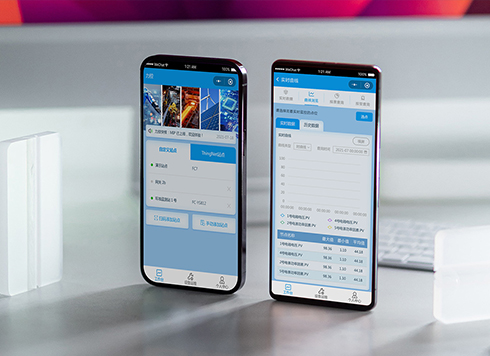 Likong Industrial IoT Tech Co., Ltd. Mini-program UI/UX Design
IIoT firms: mobile mini-program + platform. ...
-
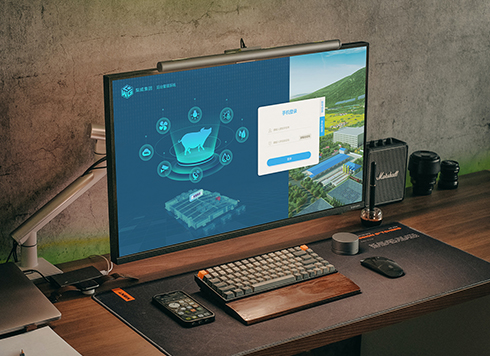 Livy Pig Farming IoT Platform UI Design
This IoT system uses sensors to monitor hog ...
-
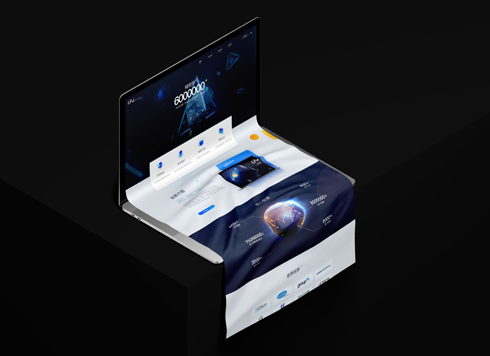 UI Design of the Internet Advertising Platform (a Sci-tech Sense Official Website)
The corporate website UI features a futuris ...
-
Core Principles and Implementation Methods of UI Interface Design
Date: Jul 18, 2026 Read: 85
-
How to Do UI Interface Design: A Practical Workflow, Common Pitfalls, and Boundaries
Date: Aug 4, 2026 Read: 76
-
Core Elements and Implementation Process of UI Design Specifications
Date: Jul 19, 2026 Read: 102
-
How to Approach UI Design: Core Principles, Process, and Common Pitfalls
Date: Aug 10, 2026 Read: 63
-
UI Design Essentials: Core Principles, Design Process, and Common Pitfalls
Date: Aug 6, 2026 Read: 60