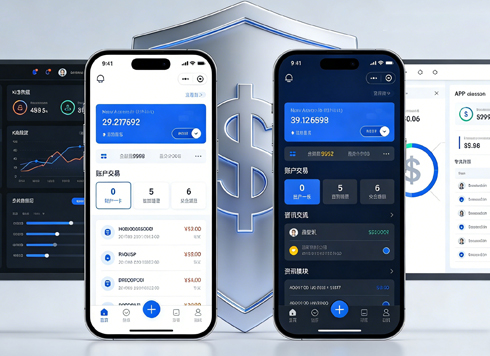





How to Create UI Design Specifications: Definition, Steps, and Common Pitfalls
What Are UI Design Specifications
UI design specifications are unified conventions for visuals and interactions that codify elements such as colors, typography, spacing, grids, and component states into documents or code, enabling team members to produce design mockups and front-end code under the same set of rules. A key criterion for a qualified specification is whether a new member can find button styles or form validation rules within three hours.
UI design specifications are not a single design mockup but an evolving rule library. They typically include base styles (colors, typography, spacing), component usage (buttons, input fields, modals), page layout (grids, breakpoints), and integration methods (design assets, code components). By 2026, many product teams will bind design systems to code component libraries, enabling specifications to directly support accessibility and multi-platform adaptation.
Why Investing in UI Design Specifications Matters More in 2026
Product distribution channels are expanding from mobile and desktop to automotive and TV, while AI-generated interfaces are entering workflows. Consumers are increasingly sensitive to experience consistency, and enterprise clients increasingly treat visual consistency as an acceptance criterion in bids. UI design specifications are no longer optional documents—they are foundational infrastructure for controlling delivery quality.
Specifically, specifications in 2026 will see three new changes: design tools will support variable sync, front-end component libraries will be integrated with design tokens, and compliance (e.g., dark mode, contrast) will become part of acceptance criteria.
- Multi-platform adaptation: The same brand color requires different contrast strategies on different devices; specifications must define clear values.
- AI-assisted design: After prompt-generated interfaces, specifications are needed to filter, correct, and constrain outputs.
- Cross-role collaboration: Design and development share a unified naming system to reduce misunderstanding.
The Five-Step Implementation Method: From Inventory to Continuous Maintenance
To create a practical UI design specification, you can follow five steps. The value of this sequence is that it first identifies real problems, then defines solution principles, and finally solidifies results through components and versioning—avoiding premature debates over details.
- Inventory current state: Collect screenshots and code snippets from all interfaces created in the past three months, and count the frequently repeated colors, font sizes, spacing, border radii, and shadows—these are the objects to prioritize for standardization.
- Define design principles: Summarize the product's character in one sentence, for example, "clear, restrained, trustworthy." Principles are not for describing style but for making decisions on component trade-offs and copy tone.
- Establish base styles: Start with design tokens, using semantic naming such as color-primary / spacing-md rather than color-blue1, to facilitate multi-platform synchronization.
- Consolidate components and templates: Encapsulate buttons, input fields, modals, etc., into reusable components, and annotate each component's states, interaction rules, and edge cases.
- Maintain and upgrade: Set version numbers and update cycles for the specification, for example, reviewing new requirements biweekly, publishing change logs, and notifying all users.
Among these five steps, the first and fifth are most often overlooked. Skipping the inventory and directly applying an off-the-shelf specification can cause conflicts with the actual product language; failing to maintain versions makes the specification quickly outdated and eventually abandoned.
Common Pitfalls and Evaluation Criteria
Many teams turn their specification into a visual showcase page that fails to guide development. There are three common pitfalls: listing color values without contrast ratios, defining components without states, and publishing documents without accessibility checks. These flaws cause the specification to fail at critical moments.
To judge a specification, don't look only at completeness—look at whether it can be executed quickly. A practical check is to take a random real requirement page and ask designers and developers to assemble it solely based on the specification. If the output matches the target interface without obvious rework, the specification is effective; otherwise, fill the gaps as a priority.
- Color values should include both the actual color and WCAG contrast ratios to prevent unreadable dark backgrounds.
- Components should cover default, hover, click, disabled, loading, and other states—not just static graphics.
- Documenting common misuse examples gives the team a "pitfall-avoidance manual."
Solution Comparison: Lightweight Specification vs. Full Design System
Depending on team size and delivery cadence, you can choose a lightweight specification or a full design system. They are not substitutes for each other but a continuum of investment granularity. Lightweight specifications suit rapid validation, while full systems suit stable scaling.
- Lightweight specification: Suitable for product teams of fewer than 5 people, short-term projects, and outsourcing collaboration. It typically includes base styles and 20–30 common components, maintained as documentation on a 1–4 week cycle.
- Full design system: Suitable for multi-product lines, mid-to-large enterprises, and long-term iteration. It includes design tokens, component code, accessibility standards, and multi-platform standards, often linked with a code repository, with a cycle of 3 months or more.
In terms of cost, the former requires only design resources; the latter requires both designers and front-end engineers. In terms of use cases, lightweight specifications validate product value, while full systems ensure consistency across multiple product lines. A common practice in 2026 is to first run a lightweight specification through the process, then expand it into a design system as needed.
Applicable Scenarios and Boundaries
UI design specifications are suitable for unified management of interface visual and interaction rules, but not every project needs to go all-in at once. The following situations call for starting with a lightweight specification: when the product is in the validation stage, the team has fewer than 3 people, and design mockups and code are both one-off prototypes.
The following situations may not require a full design system: project duration under one month, no follow-up iteration plan, or the team lacks code maintenance capabilities. Specifications solve collaboration efficiency and consistency problems; they cannot replace product strategy or user research. If product direction changes frequently, stabilize core functions first, then consolidate specifications. For example, when Xiyue Company undertakes multi-platform redesigns, it first builds a minimum viable specification per business line and then gradually expands the component library.
FAQ
Who should maintain UI design specifications?
Typically, the product design team leads, with front-end engineers participating in component code synchronization. A designated owner is responsible for reviewing changes and resolving disputes.
What is the difference between design specifications and design systems?
Design specifications are rule documents focused on the design side; design systems also include code components, tooling, and governance processes. The former can exist independently, while the latter is a more complete delivery system.
Where should we start to create specifications quickly?
Start with high-frequency foundational elements such as primary colors, typography, spacing, and common buttons to solve repetitive problems first.
How do we ensure specifications are followed in multi-person collaboration?
Embed specifications into design tools and code review workflows. For example, only allow brand colors to be used via variables, with automated checks before submission, reducing the need for manual reminders.
Do we still need UI design specifications for AI-generated interfaces?
Yes, in 2026, AI-generated outputs need specifications to constrain results; otherwise, teams are left with a pile of inconsistent interfaces, leading to higher rework costs.
If you are planning to build or optimize UI design specifications, start by inventorying existing interfaces and identifying core usage frequency. Prioritize base styles and high-frequency components, and set up version tracking. The value of a specification lies in its use, not its existence; whether the team continuously references it matters more than how polished the document looks.
-
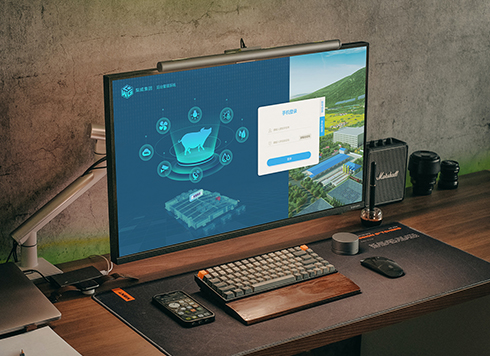 Livy Pig Farming IoT Platform UI Design
This IoT system uses sensors to monitor hog ...
-
 UI Design & Prototype for Sunwayland's ThingNet IIoT Platform
UI design and prototyping for ThingNet IIoT ...
-
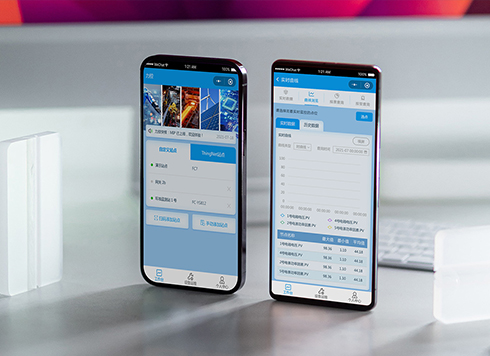 Likong Industrial IoT Tech Co., Ltd. Mini-program UI/UX Design
IIoT firms: mobile mini-program + platform. ...
-
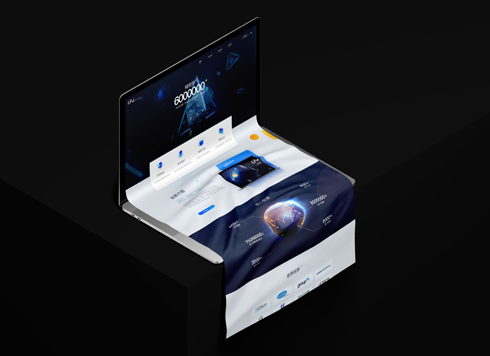 UI Design of the Internet Advertising Platform (a Sci-tech Sense Official Website)
The corporate website UI features a futuris ...
-
UI Design Specifications: Do Small Projects Really Need Them from the Start?
Date: Sep 1, 2026 Read: 139
-
UI Design Guidelines: How to Build an Actionable Design System?
Date: Aug 3, 2026 Read: 67
-
UI Design Consistency Principles and Implementation Methods Explained
Date: Jul 23, 2026 Read: 98
-
How Much of Your Artistic Foundation Do You Really Use in UI Design Projects?
Date: Sep 8, 2026 Read: 37
-
Dark Mode UI Design Never Looks Right: Which Comes First, Background or Text?
Date: Aug 23, 2026 Read: 48