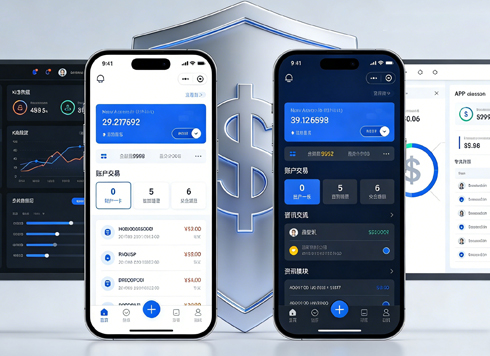





UI Design Specifications: Do Small Projects Really Need Them from the Start?
Should small projects have UI design specifications? The answer is: as long as the project will have a second round of changes, it's worth spending half a day to two days to create a lightweight specification, rather than building a full design system from the start. The essence of specifications is not documentation, but reuse conventions. Following common practices in 2026, for a small project with two or three people collaborating, defining colors, font sizes, spacing, and three high-frequency components first can avoid most rework.
What Exactly Are Design Specifications? Don't Confuse Them with Design Systems
Many small teams associate specifications with dozens of pages of documentation, so they hesitate to start. In fact, UI design specifications are a set of visual and interaction conventions: what colors to use, font sizes, how to set spacing, button states, how to reuse cards. A design system is a larger concept; besides these conventions, it also includes component code, design principles, accessibility requirements, etc. Simply put, specifications are rules, while a design system is rules plus implementation tools. For small projects, often only the former is needed. UI design specifications are not a manual for design mockups, but a translator that reduces communication ambiguity.
A lightweight specification typically includes the following content; you don't need to be exhaustive when creating it:
- Colors: primary, secondary, accent, text color hierarchy
- Typography: font size scale, font weight, line height
- Spacing: page margins, common component spacing levels
- Core components: default and interaction states for buttons, input fields, cards
- Icons: outline or filled style, size rules
Being lightweight doesn't mean low quality; it means keeping only the few rules that align the team, allowing it to grow when needed.
Why Small Projects Often Trip Up on This
Small projects usually have only a few pages, and designers or product managers often think that with few pages, they can keep everything in mind. But when the second wave of requirements arrives, new pages and styles start clashing with the old ones. More commonly, when someone leaves mid-way or hands off to development for direct implementation, without reference, everyone's understanding of "a slightly lighter primary color" differs. Design specifications don't save time on the first few pages or the first few revisions; they save the time spent on repeated communication during subsequent page additions and overall redesigns.
From a project delivery perspective, common pitfalls mainly include:
- When there are few pages, specifications are ignored, and by the time pages are added, the style has drifted
- Two or three people modifying drafts simultaneously, each using a different set of colors and components
- Developers with annotations still have to repeatedly ask what font size this is or what color the button turns when pressed
- During redesigns, you have to manually hunt page by page, missing a bunch of changes
Small projects often fail not because they lack the ability to create specifications, but because they treat specifications as a one-time big project. There's also the case where designers use many colors and font sizes that look good but aren't universal, so when developers implement, they can only guess parameters from screenshots. If specifications had been set up early, these could have been solved once with style variables.
Three-Step Decision Method: Does Your Project Need Specifications Now?
When delivering UI for enterprises, we often use a simple three-step decision method to determine how much effort to invest in specifications. Following this order helps avoid the extremes of over-engineering specifications or not having them at all.
- Check iteration count: If the page will only go live once, such as a landing page for a single event, no specifications are needed; as long as you plan a second round or add new pages, at least a lightweight convention is needed.
- Check team size: If more than two people are touching the same set of pages, it's recommended to define a set of shared variables; if you're working alone but coming back to modify after a few weeks, it's also worth an hour to write a memo.
- Check lifecycle: Projects expected to be maintained for more than three months are worth lightweight specifications; for short-term tasks of only two or three weeks, simply copy and paste components without maintaining a separate specification document.
Note that the third step is more important than the first two. With a long lifecycle, even a team of one will experience rework due to memory fuzziness. Conversely, if the project is completed and archived forever, specifications are indeed unnecessary.
Based on our delivery experience, common small project design cycles often span only 5 to 10 working days, with possibly thirty to forty pages. Under such constraints, we typically don't create a separate specification document. Instead, we spend 0.5 to 1 working day organizing the core pages' colors, typography, and spacing into Figma style variables, and turn high-frequency components like buttons and cards into reusable components. This way, subsequent pages can directly apply them, but the trade-off is that if the client suddenly requests a different primary color, all pages need to be adjusted, significantly expanding the rework scope. The experience range is roughly 10% to 20% of the overall design cycle.
If all three conditions point to needing it, at least make the specification into a one-page paste-able memo; if only one condition is met, it's also advisable to just define the corresponding part and not roll out everything.
Lightweight Specifications vs. Full Design Systems: How Small Teams Choose
After deciding whether to do it, you also need to determine the extent. Not all projects require a full design system. The differences between lightweight specifications and full design systems mainly manifest in scope, duration, and maintenance cost.
- Lightweight specifications: Include colors, font sizes, spacing, 3 to 5 core components; typical cycle is 0.5 to 2 working days; suitable for projects lasting several months with teams of 2 to 5 people.
- Full design systems: Include component libraries, code tokens, multi-device adaptation, accessibility guidelines; typical cycle is 2 to 4 weeks; suitable for complex scenarios with cross-team, multi-product line, and long-term iteration.
Lightweight specifications solve 80% of visual consistency issues, while full design systems solve long-term collaboration problems across teams and products.
According to 2026 project delivery habits, many small teams directly use style variables and components in tools like Figma to carry specifications, rather than writing a separate explanatory document. As long as it ensures reference-based usage and synchronized updates, it's qualified. Note: don't overcomplicate the variables for the sake of advanced tools, or maintenance costs will exceed benefits.
When can you upgrade? Common signals are: the same set of colors and components is reused across more than three projects, or new team members often ask which one to use. Only then does upgrading lightweight specifications to a code-based component library yield higher benefits than costs.
Applicable Scenarios and Boundaries
What situations does this approach suit? It suits projects with 10 to 50 pages, expected maintenance of several months, modest team size but requiring stable output, such as corporate websites, mini-programs, and early versions of admin dashboards. In these projects, lightweight specifications can significantly reduce redesign and rework costs.
Unsuited situations should also be clear. If the project is a one-time marketing landing page, a single long image, a pure concept demo, or only has two or three pages with no further changes, creating specifications is an extra burden. If your project will only go live once and you don't plan to touch it again, you can skip even lightweight specifications; it's more valuable to spend time on polishing the visual design of core pages.
Additionally, if the project involves multiple platforms (mobile, tablet, desktop), it's recommended to add breakpoint rules to the lightweight specification, but there's no need for a full responsive component library unless the differences across platforms are particularly significant.
When delivering solution-oriented websites, we first confirm the project lifecycle with the client before deciding the specification effort, avoiding spending budget on documents that will never be maintained.
Frequently Asked Questions
Should I define colors or font sizes first?
From a reuse rate perspective, it's recommended to define font sizes and spacing first, as they affect all pages; colors can start with primary and neutral tones, adding accent colors when needed.
Can I use Figma's component library as a specification?
Yes. As long as it constrains team usage, style variables and components are all carriers of specifications; a separate document isn't necessary. The key is that conventions must be implemented in actual files.
Developers say they don't need specifications and will just look at the mockups. Should I insist?
If the page count is low and developers are familiar with the project, you don't have to provide a document; but it's recommended to tell developers the key variables, such as primary colors and font sizes, to avoid back-and-forth questions.
What if no one maintains the specification after it's done?
Then compress the specification to the minimum: only keep styles and components that are repeatedly used, assign update responsibility to one person, and update immediately when changes occur, avoiding accumulation.
Open your project first and run through the three-step decision method: will there be a second round of changes, how many people are collaborating, and how long does it need to be maintained. If all answers are yes, spend an hour defining colors, font sizes, spacing, and two high-frequency components. Remember, this specification is for your project, not for the company; don't pursue completeness. If the project is still iterating after three months, consider upgrading to a component library; if the project has stopped updating, put it back in the drawer.
-
 UI Design & Prototype for Sunwayland's ThingNet IIoT Platform
UI design and prototyping for ThingNet IIoT ...
-
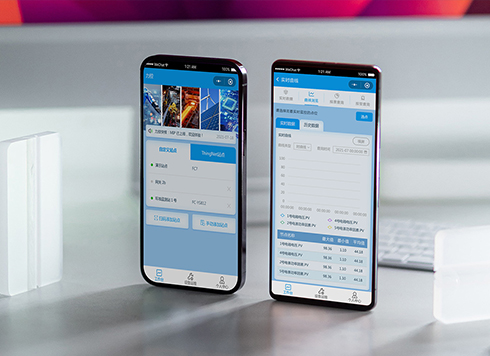 Likong Industrial IoT Tech Co., Ltd. Mini-program UI/UX Design
IIoT firms: mobile mini-program + platform. ...
-
 Livy Pig Farming IoT Platform UI Design
This IoT system uses sensors to monitor hog ...
-
 UI Design of the Internet Advertising Platform (a Sci-tech Sense Official Website)
The corporate website UI features a futuris ...
-
How to Create UI Design Specifications: Definition, Steps, and Common Pitfalls
Date: Aug 1, 2026 Read: 85
-
UI Design Guidelines: How to Build an Actionable Design System?
Date: Aug 3, 2026 Read: 107
-
UI Design Consistency Principles and Implementation Methods Explained
Date: Jul 23, 2026 Read: 130
-
UI Design Specifications and Common Pitfalls: From Basic Principles to Practical Implementation
Date: Jul 19, 2026 Read: 115
-
Is grey placeholder text mistaken for filled input because the hint looks too much like content, or because the field label has nowhere to sit?
Date: Nov 4, 2026 Read: 5