



How to Do UI Interface Design: A Practical Workflow, Common Pitfalls, and Boundaries
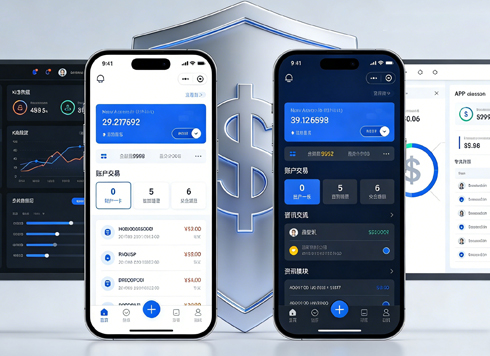
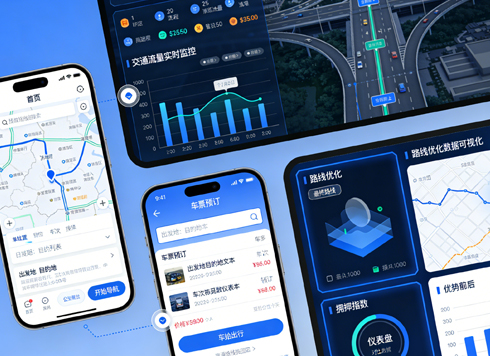
UI interface design refers to the visual and interactive interface that users directly encounter in digital products. Its core goal is to help users complete target tasks with minimal cognitive cost, rather than simply pursuing aesthetics. In 2026, mainstream projects typically adopt component-based design systems to ensure consistency and delivery efficiency. For specific implementation, refer to the four-step method below, progressing from requirement analysis to delivery and acceptance.
The Essence of UI Interface Design and Why It Matters
Good UI design must address three contradictions simultaneously: information density vs. readability, visual style vs. operational safety, and personalization vs. consistency. The old approach of "highlighting creativity" is becoming rare; in 2026, teams place more emphasis on whether design can withstand usability testing and business metric validation.
From a business perspective, UI design directly affects conversion rates, completion rates, and customer support costs. A button color, copy placement, or input field layout can alter workflow completion. Therefore, UI design is not an optional "skin" but a part of product delivery.
- Criteria for good design: Can users quickly understand what the current page does?
- Are essential operations clearly visible?
- Are error messages understandable?
- Does it remain usable across different screen sizes?
- Is the visual hierarchy consistent with the information logic?
A Practical UI Design Workflow: The Four-Step Method
The four-step method breaks UI design into independently verifiable stages to avoid repeated rework on visual details. If the requirements phase is unclear, even beautiful designs are prone to being overturned. This division is especially critical in agile iterations in 2026, where design cycles are often compressed to a few weeks.
- Requirement and Scenario Analysis: Define functional goals, target users, usage frequency, and critical paths.
- Information Architecture and Prototyping: Produce wireframes to verify whether the information organization and interaction flow work.
- Visual Design and Componentization: Turn visual style into design specifications and convert repeated graphics into components.
- Delivery and Acceptance: Provide annotations, assets, and interactive prototypes, and collaborate with front-end development on fidelity checks. If you commission a professional design team (e.g., a service provider like Xiyue Company with accumulated design system expertise), they typically also provide component libraries and interactive prototypes for developers to use directly.
Each step should have clear deliverables and confirmation actions. For example, the first step outputs a Functional Requirements Checklist, the second outputs a Wireframe, the third outputs a Design Specification Document, and the fourth outputs a Delivery Package. Set synchronization points between steps and conduct brief confirmations with product managers and developers to significantly reduce rework.
Common Pitfalls and Criteria for Good Design
In 2026, many teams still waste time on several pitfalls. A common mistake is treating UI design as merely "color schemes and icons," neglecting information architecture. Another is copying competitor visuals without understanding their product goals. Yet another is delivering a high-fidelity image without considering development implementation costs.
- Pitfall 1: Doing visuals first, then logic. The correct order is to validate the flow first, then refine the style.
- Pitfall 2: Designing every page from scratch. The right approach is to reuse the component library and focus effort on key pages.
- Pitfall 3: Only providing static images without interaction states. At minimum, cover loading, empty, error, and edge states.
- Pitfall 4: Ignoring accessibility. Font size, contrast, and touch target sizes directly impact practical usability.
To judge whether a UI design is acceptable, ask three questions: Can the core task be started within three steps? Is key information visible on the first screen? Are abnormal states clearly indicated? If all answers are "yes," it basically meets the 2026 acceptance baseline.
Comparison of UI Design Approaches: Custom Design vs. Component Library Reuse
In 2026, UI design typically follows two implementation routes: custom design (starting from visual specifications and designing page by page) and component library reuse (combining pages based on existing design systems or component libraries). They are not right or wrong; rather, they depend on business stage and resources.
- Custom design: Suitable for scenarios with high brand recognition, complex interfaces, and a need for deep innovation. The cycle typically takes 2-4 weeks to complete the first version of a medium-sized product, with higher maintenance costs afterward.
- Component library reuse: Suitable for MVPs, operation backends, and tool-based products. The cycle can be compressed to within one week, with high consistency, but visual homogeneity is obvious.
When choosing, consider three factors: whether the product's differentiation point lies in the visual layer; whether the design team has the capability to maintain the component library; and whether the launch timeline is tight. If visuals are not the core competitive point, component library reuse is a more cost-effective choice. Note that these cycle times are common industry ranges and depend on team size.
Applicable Scenarios and Boundaries
UI design is not the answer to all problems. Which situations require serious UI design? Consumer-facing C-end products with large user bases, transaction platforms that need to convey trust, complex B-end systems, and consumer goods where brand is a purchase reason. In these scenarios, UI design directly affects user retention and conversion.
Which situations do not need excessive investment? Internal tools, one-time campaign pages, model demonstrations, and early prototypes without user volume. For such projects, spending a lot of time on visual polish yields low returns; it is better to prioritize validating core logic and business models. In 2026, many teams quickly build with existing templates, saving time for business validation.
FAQ
What is the difference between UI design and UX design?
UI focuses on the presentation of visual and interactive elements, while UX focuses on the overall usage process and feeling. They often work together, but UI is more concerned with whether the interface "looks smooth," while UX is more concerned with whether the task is completed efficiently.
With no design experience, how do you judge whether UI design is good or bad?
You can check whether the design covers the four states: normal, loading, empty, and error, and whether core operations can be completed within three steps. If these are covered, it indicates that the design thinking has been systematically considered.
In 2026, what is the minimum set of tools a UI designer needs to know?
Figma is the mainstream collaboration tool, plus a prototyping tool and design system management capability. Mastering components, auto layout, and asset export is basically sufficient for most project deliverables.
Does UI design require coding?
Not necessarily. In 2026, many designers know basic HTML/CSS or understand front-end constraints, which reduces communication costs, but most companies do not mandate it. More important is the ability to explain design rationale.
Should I use an existing component library or build my own?
If the business has no unique visual or interaction needs, prioritize using a mature component library; when the product scales up or requires strong brand recognition, gradually build your own component library.
Actionable advice: If your product is in the requirement validation phase, first build a clickable prototype with a low-cost component library to validate core flows; after confirming that users are willing to complete key tasks, then polish visual details. If the team already has a design system, follow existing specifications first. For budget-limited or validation-type projects, directly use mature tools and avoid reinventing the wheel. This approach works for most agile teams in 2026, but for highly customized, brand-driven products, it remains necessary to reserve space for professional designers to lead.
-
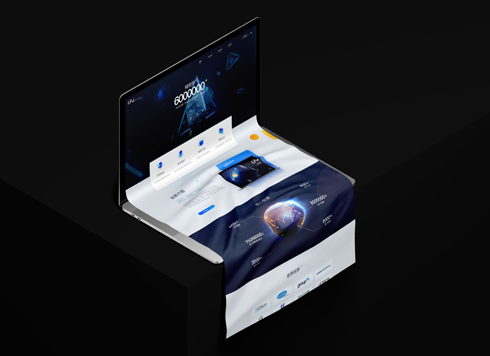 UI Design of the Internet Advertising Platform (a Sci-tech Sense Official Website)
The corporate website UI features a futuris ...
-
 Mobile UI Interface Design for Vocational Training Courses
Focusing on a mobile UI design project for ...
-
 UI Design & Prototype for Sunwayland's ThingNet IIoT Platform
UI design and prototyping for ThingNet IIoT ...
-
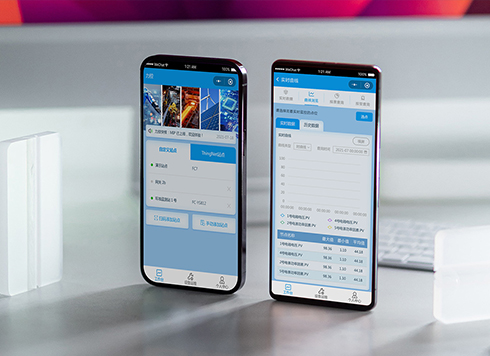 Likong Industrial IoT Tech Co., Ltd. Mini-program UI/UX Design
IIoT firms: mobile mini-program + platform. ...
-
Core Principles and Practical Methods of UI Interface Design
Date: Jul 25, 2026 Read: 66
-
Core Principles and Implementation Methods of UI Interface Design
Date: Jul 18, 2026 Read: 85
-
How to Approach UI Design: Core Principles, Process, and Common Pitfalls
Date: Aug 10, 2026 Read: 63
-
UI Design Basics: Essential Guidelines from Layout and Color to Interaction
Date: Aug 9, 2026 Read: 69
-
UI Design Essentials: Core Principles, Design Process, and Common Pitfalls
Date: Aug 6, 2026 Read: 60