





Verification Code Box Split Into Four Cells and Pasting Only Fills One: Is It the Cells' Fault?
Drawing an SMS verification code box as four small cells is not the default answer; it is a conditional trade-off. It solves only two things—length cues and per-digit correction—while making three paths fragile at the same time: paste, backspace, and system autofill. Under common 2026 delivery standards: if the code is a fixed 4-6 digit numeric code used mainly on mobile, segmented cells are acceptable; if the length varies, letters are included, or users often paste on desktop with a password manager, a single input is more stable.
What Segmentation Solves and What It Costs
The motivation for segmentation is specific: when a single input is used for a fixed-length code, users can easily lose count of how many digits they have entered, and they cannot say which digit is wrong. After splitting into cells, the remaining count is visible at a glance, and when an error occurs it can be located to a specific cell. But the benefit has preconditions—it holds only when the length is fixed, only digits are allowed, and users do not need to move content; once the length varies, the number of cells itself misleads users, and when they cannot fill all cells they may not know whether a digit is missing.
In project delivery, feedback caused by segmentation is rarely that it looks bad; it is that users cannot paste, cannot delete, or get no autofill. These problems live in the input path, not the visual layer, and fixing them often means changing event handling rather than styles. More troublesome, they are hard to reproduce in test environments and usually surface only when real users use system SMS autofill or long-press to copy from a chat thread.
- Paste is broken apart: when a user long-presses to paste the whole code, only the first cell receives it, or each cell receives one character but in the wrong order.
- Backspace behavior is inconsistent: pressing backspace in the last cell does nothing, or it moves to the previous cell without clearing it, so users must press several times to delete everything.
- Autofill fails: system SMS code autofill and password managers usually recognize a single field; after splitting into multiple cells, they cannot find the entry point.
- Accessibility is fragmented: screen readers treat each cell as an independent input, chopping up the reading.
- Error recovery is costly: after validation fails, all cells are cleared at once, and users must re-enter the entire code.
Deciding Whether to Segment: Four Questions About the Input Path
I tend to shift this from what the control looks like to how the input path runs. The same segmented control can lead to completely different conclusions on an SMS login page and an admin bulk-import page—the difference is not appearance but where the code comes from, which device users fill it on, and what it costs when they enter it wrong.
- Where does the code come from: SMS verification codes can usually benefit from system autofill, so a single input with a one-time code attribute is preferable; codes generated in-app have no autofill path, so segmentation faces less resistance.
- Are length and character set fixed: for a fixed 4-6 digit numeric code, segmentation risk is relatively low; if letters are included or length varies, the number of cells itself misleads users.
- Which device do users mainly fill it on: when mobile is primary, segmentation is acceptable; when desktop is primary and keyboard input and password managers account for a high share, a single input is smoother.
- How often errors occur and what re-entry costs: if a mistake forces the whole code to be re-entered, segmentation turns one re-entry into four.
These four questions do not all need to be answered yes before segmenting, but if questions 3 and 4 point to autofill and desktop, give priority to a single-input approach. I suggest starting the judgment with where the code comes from, because it directly determines whether the system can fill it for the user.
Three Patterns Compared and the Cost Experience Range
In real delivery there are basically these three tiers, and there is no absolute answer to which is better—only which better matches the current path. From experience, the closer to a single input, the lower the compatibility cost and the fewer the test cases; the closer to segmentation, the stronger the length cue, but the more edge cases need extra handling.
- Standard single input: fits desktop and mobile alike, variable length, and possible letters; implementation cost is low, and paste, backspace, and autofill all use browser default behavior.
- Single input + larger font size or increased letter spacing: fits fixed-length, mobile-first scenarios; it gives a sense of digit count while preserving the full paste and autofill path, a common compromise.
- Segmented cells: fit fixed 4-6 digit numeric codes, mobile-first short flows, and cases that do not rely on password managers; the length cue is more direct, but implementation and integration testing cost more.
There is a rough experience range for cost: from implementation to integration testing, a segmented control usually takes about 0.5-1 person-day more than a single input, with 3-5 additional test cases covering paste, backspace, autofill, and error clearing paths. This is not an exact quote, only a reference for leaving buffer in scheduling; the actual difference also depends on the front-end framework and whether a ready-made component already exists.
Implementation Details That Decide the Experience
Even with segmentation, the experience can vary widely, and the difference lies entirely in detail handling. These details do not require advanced technology, but they need to be checked item by item before delivery; otherwise they are easily triggered by real users after launch. If a single-input approach is used, the focus shifts to input attributes and error recovery—get the code attribute, inputmode type, and error-retention strategy right, and an ordinary single input can achieve a cue effect close to segmentation.
- Input type and one-time code attribute: check each platform's official documentation for the inputmode type and one-time code attribute syntax, so the system has a chance to recognize it as a one-time code.
- Allow paste and distribute it correctly: listen for the paste event and fill the whole string digit by digit, rather than keeping only the first digit.
- Backspace fallback rule: when the current cell is empty, backspace moves to the previous cell and clears it; when the current cell has content, it clears only the current cell.
- What happens when full: after the last digit is filled, do not immediately dismiss the keyboard or force submit; leave a little room for correction.
- Error-state retention: clear only the cell or segment that is wrong and keep the rest, reducing the cost of re-entry.
- Resend state: during the countdown, gray out the button and state the remaining time, so users do not tap repeatedly and think nothing happened.
Delivery Scene: Rework on a Paste Path
A common project situation: the cycle is only two to three weeks, only a mobile H5 is being built, and copy and assets are not final. Under such constraints, teams often copy a segmented control directly and get the style through review first. As a result, after launch users report that a code copied from a chat thread will not paste; the team then goes back to add paste distribution and backspace logic, spending another round of integration testing and regression testing. The problem is not segmentation itself, but that the paste path was not written into the acceptance criteria at the time. In the typical range, this kind of rework adds 1-2 integration rounds, and when the schedule is tight it is more likely to squeeze other pages.
Where It Fits and Where It Does Not
Stating the boundaries clearly is more useful than overstating the conclusion. Segmentation is not a universal mobile default; only in short mobile-first flows with fixed-length, numeric codes do its benefits outweigh its costs. Beyond that range, a single input or an enlarged single input is usually the easier choice.
- Fits: mobile-first SMS verification codes, fixed 4-6 digit numeric, short flows, and login or payment verification with few error branches.
- Fits: in-app generated codes that users need to manually transcribe from elsewhere, when the device is mainly mobile.
- Does not fit: codes that contain letters, are case-sensitive, or vary in length, where the number of cells cannot provide a stable expectation.
- Does not fit: desktop-first use, or users who habitually complete input with password managers and system autofill.
- Not necessary: one-off internal tool pages with very low error rates, where the extra edge-case cost of segmentation outweighs the benefit.
FAQ
After splitting the verification code box into cells, pasting only fills one cell. What usually causes this?
Most often each cell is limited to length 1 and the paste event is blocked, so the whole string is received only by the first cell; you need to listen for paste and distribute it character by character across the cells.
Can a segmented input still receive SMS code autofill from the phone system?
In theory yes, but you usually need to keep an identifiable one-time code field and mark it according to platform documentation; for the exact syntax, check against the official specification.
If the verification code is 6 digits, should you draw 6 cells?
No. When the length is fixed and the code is numeric, a single input with a larger font size or increased letter spacing can also cue the length while fully preserving the paste and autofill path.
If a user enters one digit wrong, should you clear everything or only that cell?
Clearing only the wrong cell is easier. Clearing the whole group turns one correction into a full re-entry, especially on mobile.
Would small cells look neater on desktop too?
On desktop, keyboard input and password managers dominate; segmentation has low benefit and higher compatibility risk, so it is generally not done unless a brand page requires strong cross-platform consistency.
In practice, before drawing the verification code box, answer one question: will the code mainly be typed by the user, or might it be filled in by the system or a password manager? If the answer leans toward the latter, first make the single-input approach solid in input attributes, paste, and error retention, then consider whether to segment. If you do segment, write four items into the acceptance checklist: paste distribution, backspace fallback, error retention, and autofill marking. These are more worth aligning on early than the visual mockup.
-
 UI Design & Prototype for Sunwayland's ThingNet IIoT Platform
UI design and prototyping for ThingNet IIoT ...
-
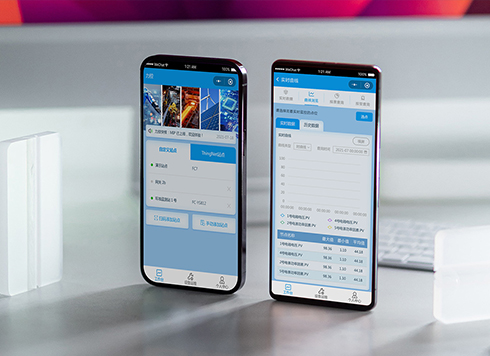 Likong Industrial IoT Tech Co., Ltd. Mini-program UI/UX Design
IIoT firms: mobile mini-program + platform. ...
-
 Livy Pig Farming IoT Platform UI Design
This IoT system uses sensors to monitor hog ...
-
 UI Design of the Internet Advertising Platform (a Sci-tech Sense Official Website)
The corporate website UI features a futuris ...
-
Admin tables are fine to scan on desktop, but at nearly 20 rows per screen for reconciliation they blur—is the row height too tight or are separators missing?
Date: Oct 14, 2026 Read: 7
-
Status labels look distinct on a computer but look the same on a conference room screen—is it projection color shift, or are the labels only using color?
Date: Oct 13, 2026 Read: 8
-
Some amounts in a table have two decimals and some don't, and right-aligning still leaves them misaligned—is the decimal point not aligned?
Date: Oct 12, 2026 Read: 14
-
When an admin list is empty on first open and users keep waiting for it to load, is the empty state failing to tell them they can create one?
Date: Oct 11, 2026 Read: 19
-
On Mobile, Amount and Phone Number Fields Show a Letter Keyboard—Is It Because the Input Types Weren't Configured Separately?
Date: Oct 10, 2026 Read: 19