





Phone input auto-formats to 344, but users paste from contacts and get a format error—should the formatting stay?
Auto-formatting a phone number input into 3-4-4 is not wrong by itself; the mistake is treating the display format as the validation format. In 2026, a common delivery approach is: format in 3-4-4 while typing to improve readability, normalize to digits or E.164 before submit, and tolerate paste, deletion, and autofill. If validation only accepts an 11-digit number with spaces, a number pasted from contacts is easily rejected as invalid. When international numbers, landlines, and extensions are mixed in the business, the false-positive cost of formatting is often higher than its readability benefit.
What does adding spaces to a phone number input really solve?
Formatting solves scanning and verification efficiency, not number correctness. An 11-digit continuous number is easy to misread; after 3-4-4 grouping, users can spot an extra or missing digit faster, and support staff spend less time counting back and forth when checking in the back office. But it is only visual-layer processing; it cannot replace digit-count validation, number-prefix validation, and attribution checks.
If developers put formatting directly into the data layer—for example, the input's value includes spaces—then every later comparison, deduplication, and send operation has to account for spaces first, which increases the error surface. A common approach is to keep display and storage separate.
- Can solve: reducing visual digit-count errors, improving form readability, and helping users remember the number in segments.
- Cannot solve: whether the number actually exists, belongs to the current carrier, or is already registered.
- Often causes: paste failures, backspace cursor jumps, false validation errors, and spaces in backend exports.
Why users get a format error after pasting
Users paste phone numbers from many sources: contacts may include a country code and spaces, chat histories may include hyphens, and Excel or CRM exports may include parentheses, plus signs, or invisible characters. If the validation rule only matches 3 digits, space, 4 digits, space, 4 digits, all these sources will be judged as format errors. Users see that they filled it in correctly, but the system rejects it.
A more hidden problem is autofill. A number remembered by the browser or system may or may not include +86. If the input event only handles keyboard input and not paste and autofill, the display format and validation result will not match. During delivery, you can first paste once each from contacts, SMS, and clipboard on a real device to see whether they all pass.
The segmented format seen in the input should not become the default validation format; normalizing before validation is the more stable approach.
To decide whether to format, look at four dimensions first
Not every form is worth segmenting phone numbers for. You can use a quick four-question plus one veto check: the four questions cover business, source, interaction, and compliance; the veto checks whether paste and backspace are already affected. The reason for this split is to evaluate visual benefit and data risk separately.
- Is the number source single? If the vast majority are domestic 11-digit mobile numbers, segmentation has clear benefit; if international numbers, landlines, and extensions are mixed in, rules easily favor one and lose another.
- Do users mainly type or mainly paste? Registration pages are mostly keyboard input, where formatting is friendlier; backend bulk entry and support-assisted filling are mostly paste, where formatting must be compatible first.
- At which layer does validation happen? Normalizing before submit is low-cost; if errors only appear after submit, users have already left the field and fixing it is more annoying.
- Do you need to keep the original input? In scenarios like invoices, contracts, and identity information, the original number must be traceable, and the display format must not overwrite the original data.
One veto: If, after adding segmentation, several out of ten pastes fail, or deleting with backspace causes the cursor to jump to the end because of spaces, do not add it yet—first straighten out the input and validation logic.
Where delivery commonly gets stuck, and what acceptance checks
A common situation in projects: the client wants the input to look neat, developers add spaces in 3-4-4, but the validation regex only accepts results with spaces. Testers paste a +86 number from contacts, and the page says the format is wrong; when support checks on a tablet, backspace jumps the cursor. The outcome is either rewriting validation or removing formatting, costing an extra half-day to two days in experience range, and it may affect the test submission schedule.
Acceptance criteria can be written clearly in advance to avoid back-and-forth. The pass line is not that it looks like a phone number, but that common input methods all pass and that errors tell users what went wrong.
- Paste compatibility: Numbers with +86, 0086, spaces, or hyphens can be normalized before submit.
- Stable cursor: Inserting or deleting digits in the middle does not jump the cursor to the end.
- Separated validation: Display format and storage format are separate; the backend receives digits or an agreed format.
- Specific errors: The message says the phone number has too few digits, not a vague format error.
How to compare formatting vs. not formatting
You can look at two types of solutions. Different businesses do not have to be forced into one; the key is knowing the cost of each. Based on the typical 2026 delivery range, front-end effort for real-time formatting is usually in the half-day to two-day experience range, mainly spent on paste cleaning, cursor handling, and mobile testing; normalization only is commonly in the several-hours to one-day experience range, but must be backed up by clear error messages.
- Option A: Real-time formatting while typing. Suitable for forms mainly using domestic mobile numbers where users need to check the number. Risk: when the rule changes, many places must change.
- Option B: Normalize only for storage, segment for display as needed. Suitable for scenarios with many number types, internationalization, and backend bulk entry. Cost is usually lower; risk is that users are less likely to notice digit-count errors while typing.
The decision criterion can be simpler: if formatting does not reduce the submit failure rate and only makes the input look better, it can be deprioritized. Conversely, if many users in the business need to check numbers against a reference, the efficiency gain from segmentation is real.
Applicable scenarios and boundaries
Phone number formatting is suitable for scenarios mainly using domestic mobile numbers, where users need to check quickly and validation rules are relatively stable, such as registration and login, password recovery, recipient phone numbers, and backend support entry. It is not suitable for businesses where the number rules themselves are not unified.
- Suitable: Domestic 11-digit mobile numbers are the vast majority; users check digit by digit; the phone number is a core field in the form.
- Not suitable: International numbers, landlines, extensions, or numbers with letters or special symbols are mixed; users paste heavily from contacts and the business does not require segmentation; the number is only an optional remark field.
When business number rules are not unified, the benefit of display formatting is often lower than the false-validation-error cost it brings; in that case, it is better to only normalize and provide clear errors.
FAQ
Does auto-adding spaces to a phone number input affect user copy and paste?
Yes, if it only handles keyboard input and not paste. A common approach is to clean first and then format on paste, and remove spaces before validation, so numbers with +86 or hyphens also pass.
When pasting a number with +86, should validation report an error or remove it automatically?
For domestic businesses, automatically recognizing and removing the +86 or 0086 prefix is usually easier; if the business involves international numbers, keep the country code and validate it separately—do not reject everything by default.
Should a formatted phone number include spaces when submitted to the backend?
A common approach is to submit digits or an agreed format, using spaces only for display. If the backend receives data with spaces, deduplication, comparison, and sending are all prone to errors.
Backspace always jumps to the end—is that a bug?
It counts as an experience defect. Users who change a middle digit are forced back to the end, and efficiency drops noticeably. During delivery acceptance, test inserting and deleting in the middle once each to see whether the cursor is stable.
For businesses with many landlines or international numbers, should 3-4-4 formatting still be used?
Usually not recommended to hard-code 3-4-4. When rules are not unified, keeping input as-is, normalizing before submit, and making error messages explain the problem is more stable than forcing segmentation.
In action, first separate the phone number's display format from its storage format, then decide whether to do real-time segmentation. It suits forms mainly using domestic numbers with frequent checking; if number types are complex or users mainly paste, prioritize normalization and clear errors. In project delivery, Xiyue Company also usually checks the number source and validation layer first, then decides whether to add formatting, to avoid sacrificing submit success rate for visual consistency.
-
 UI Design & Prototype for Sunwayland's ThingNet IIoT Platform
UI design and prototyping for ThingNet IIoT ...
-
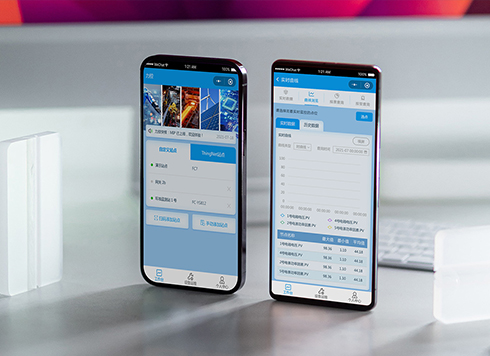 Likong Industrial IoT Tech Co., Ltd. Mini-program UI/UX Design
IIoT firms: mobile mini-program + platform. ...
-
 Livy Pig Farming IoT Platform UI Design
This IoT system uses sensors to monitor hog ...
-
 UI Design of the Internet Advertising Platform (a Sci-tech Sense Official Website)
The corporate website UI features a futuris ...
-
Admin tables are fine to scan on desktop, but at nearly 20 rows per screen for reconciliation they blur—is the row height too tight or are separators missing?
Date: Oct 14, 2026 Read: 7
-
Status labels look distinct on a computer but look the same on a conference room screen—is it projection color shift, or are the labels only using color?
Date: Oct 13, 2026 Read: 9
-
Some amounts in a table have two decimals and some don't, and right-aligning still leaves them misaligned—is the decimal point not aligned?
Date: Oct 12, 2026 Read: 14
-
When an admin list is empty on first open and users keep waiting for it to load, is the empty state failing to tell them they can create one?
Date: Oct 11, 2026 Read: 19
-
On Mobile, Amount and Phone Number Fields Show a Letter Keyboard—Is It Because the Input Types Weren't Configured Separately?
Date: Oct 10, 2026 Read: 19