



When a backend toggle applies on flip, and a wrong permissions change means digging through logs to revert each one, does instant apply give back the clicks it saves?
A toggle that saves on flip is not wrong in itself; the mistake is using it where instant apply does not belong. Under the common 2026 admin backend delivery conventions, the judgment is not based on the toggle control itself but on the impact scope and recoverability of this action: settings that affect only the individual, can be flipped back at any time, and do not trigger downstream actions are suitable for instant apply; once they change state, send notifications, deduct inventory, or affect others, they should be changed to explicit save, or at least have an undo entry.
When a toggle saves on flip, what exactly are users worried about
Users' concern about toggles is usually not whether the system has stored it, but three more specific things: they do not know whether the last flip took effect, they do not know how to flip it back, and they do not know who else this toggle affects. The toggle hides the save action inside the flip itself, saving a click and also removing the mental pause of confirmation.
The value of instant apply is straightforward: configuration operations are mostly high-frequency fine-tuning, and clicking save every time one item changes becomes cumbersome. But the cost is equally clear — the cost of an accidental flip is compressed into one swipe, and users often only think about what is behind the toggle after they have flipped it.
- Instant apply is suitable for: seeing the effect immediately after the change, a clear impact scope, and being able to flip it back immediately if wrong
- Risk points of instant apply: flipping writes to the database, there is no intermediate state, and after an accidental flip the user does not know where to check
- Users' real confusion is often I flipped it but I am not sure whether it was saved, rather than why am I not allowed to click save
How to separate instant apply from explicit save
To judge whether a toggle should apply instantly, follow the order commonly used in 2026 project delivery: first look at impact scope, then recoverability, and finally whether it triggers downstream actions. If any one of the three falls into large scope, hard to recover, or will send externally, it is not suitable for unprotected instant apply.
The first layer is impact scope: if it only affects the current user's own display preferences (theme, language, items per page), instant apply is usually fine; once it affects colleagues in the same group, customer-visible status, or system permissions, the user should be asked to confirm before it is persisted. The second layer is recoverability: if it can be flipped back with one click and flipping back produces no side effects, the cost of instant apply is low; if flipping back requires rebuilding data, affects notifications already sent, or inventory already deducted, it should not rely on a single toggle.
The third layer is whether it triggers downstream: pure configuration items (whether to show a certain column) and trigger-type toggles (whether to enable automatic sync, whether to publish externally) should be treated separately. The latter commonly use toggle + a clear effective notice or toggle + secondary confirmation.
The comparison below is organized by typical ranges in 2026 admin backend delivery. Development effort and rework cost come from the experience range of mid-sized projects (20–40 settings items), not precise quotes:
- Instant apply, no confirmation and no undo: changes write to the database immediately; front-end development effort is typically 0.5–1 person-day; recovery after an accidental flip mostly relies on operation logs, with typical rework of 0.5–2 person-days
- Instant apply + short-term undo: adds an undo bar and operation logs; development effort is typically 1–2 person-days; most accidental flips can be flipped back by users within seconds
- Instant apply + secondary confirmation: adds a confirmation dialog and states the impact scope; development effort is typically 1–2 person-days; high-frequency operations gain one extra click each time
- Explicit save (group submit): the whole group of settings is checked and submitted together; development effort is typically 1–3 person-days; low-frequency settings are more stable, while high-frequency fine-tuning becomes tiring
Dividing toggles into three risk tiers is less work than adding confirmation to each one
Rather than struggling over whether every toggle needs a confirmation popup, first divide toggles into three tiers by impact scope, then decide the approach for each tier. The basis for tiering is whether a wrong flip can be rolled back at low cost, not how many toggles there are.
- Tier 1 · Flip freely: personal preferences. Criteria — affects only yourself, can be flipped back at any time, and does not write audit logs. The approach is instant apply, with a lightweight inline hint after flipping to say it has taken effect; do not add confirmation to this tier, because it interrupts high-frequency operations.
- Tier 2 · Flipped but reversible: team-visible but reversible settings. Criteria — affects people in the same group, but flipping back has no side effects. The approach is instant apply + short-term undo (users can click Undo within a few seconds), or state the impact scope next to the toggle; the focus of this tier is not confirmation, but letting users see the impact scope and find undo.
- Tier 3 · Confirm before flipping: involves funds, inventory, permissions, or external sending. Criteria — once effective, it triggers downstream actions or is hard to restore. The approach is to show a confirmation after the toggle is flipped, state what will be affected, and write to the database only after confirmation; this tier must state the consequences clearly, not just ask Are you sure you want to enable this?
These three tiers are not fixed. Projects can adjust the tiers according to business risk, but the order of first tiering and then deciding the interaction is more stable than adding confirmation to every toggle or leaving everything unprotected.
Where delivery often gets stuck
In a 2026 dealer admin backend redesign, the constraints were that the settings page had more than 30 toggles, the client wanted all of them to apply instantly, and the schedule was only two weeks. The approach was to first list the action behind each toggle, divide them into three tiers by impact scope, add confirmation only to the 6 that would change permissions and inventory, and keep instant apply with a lightweight inline hint for the rest. As a result, in the first week after launch the operations team accidentally flipped permission-type toggles 3 times; because the confirmation dialog clearly stated the impact scope, all were rolled back before submission. The cost was that those 6 toggles required one extra click each time, and operations feedback was slightly slower but we know where we stand. In terms of experience range, development effort for this kind of tiered rework is typically 2–5 person-days, and rework is mainly spent checking the API actions behind the toggles, not the front-end controls themselves.
Another situation appears when integrating with third parties: a certain toggle is connected to inventory sync or external push, but the front end only implemented the flip animation, without confirmation or failure rollback. When the network hiccups, users see Enabled, but the sync did not actually succeed, and customer support then has a hard time explaining it. According to enterprise project delivery habits, before delivery you should first check what action is behind the toggle, then decide whether it is a pure front-end switch or should go through API confirmation.
Applicable scenarios and boundaries
Situations suitable for instant apply: personal display preferences, notification subscriptions, low-frequency reversible configuration items, and flipping back produces no side effects. Adding confirmation to these toggles would slow down high-frequency operations, and users would also find it unnecessary.
Situations not suitable for instant apply: operations involving funds, inventory, permissions, batch impact on others, or external sending. These are not impossible to make into toggles, but they must not be made into toggles that write to the database on flip, with no confirmation and no undo. Boundary statement: Whether a toggle applies instantly depends on whether a wrong operation can be rolled back at low cost, not on what the toggle looks like.
FAQ
Which is more user-friendly: instant apply toggles or a save button?
Instant apply is more convenient for personal preferences; for grouped settings or settings that affect others, explicit save gives users a chance to check the whole set and is usually more stable.
Will users find confirmation dialogs on toggles annoying?
It depends on frequency and risk. Adding confirmation to high-frequency, low-risk toggles interrupts operations; for low-frequency, high-risk toggles, users actually want a confirmation.
After a toggle is flipped by mistake, how can users roll it back?
Common approaches are a short-term undo prompt, or stating the impact scope next to the toggle and keeping operation logs, so users know where to change it back.
There are many toggles on the settings page. Does each one need confirmation?
No. First tier them by impact scope, add confirmation only to toggles that trigger downstream actions or are hard to restore, and keep the rest on instant apply to avoid a popup for every one.
If toggle state fails to load, should it show on or off?
A common approach is to show a placeholder or an explicit Load failed, not default to off — defaulting to off makes users think the feature has been turned off.
If your admin backend is stuck at the step of whether toggles need confirmation, first list all toggles, divide them into three tiers by impact scope and recoverability, and then decide the interaction tier by tier. When Xiyue Company takes on this kind of admin backend redesign, it usually also creates this tiering table before touching the controls. Boundary reminder: a toggle is only the interaction shell; whether what is behind it is writing to the database, sending notifications, or deducting inventory is what determines whether it can use unprotected instant apply.
-
 UI Design & Prototype for Sunwayland's ThingNet IIoT Platform
UI design and prototyping for ThingNet IIoT ...
-
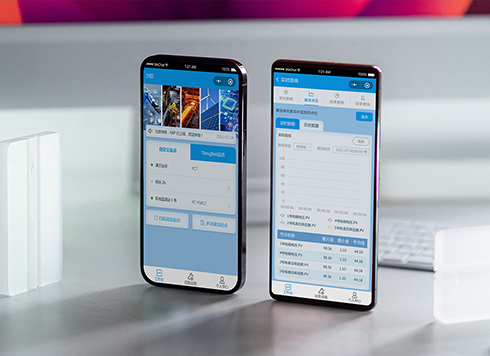 Likong Industrial IoT Tech Co., Ltd. Mini-program UI/UX Design
IIoT firms: mobile mini-program + platform. ...
-
 Livy Pig Farming IoT Platform UI Design
This IoT system uses sensors to monitor hog ...
-
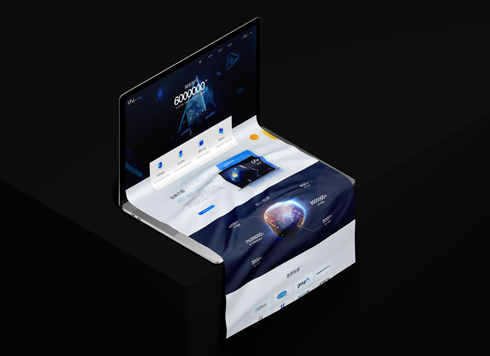 UI Design of the Internet Advertising Platform (a Sci-tech Sense Official Website)
The corporate website UI features a futuris ...
-
In an admin form, the postcode box and address box are the same width—after six digits, users pause for the next one. Should short fields be narrowed or kept at full-column width?
Date: Nov 22, 2026 Read: 5
-
On mobile admin screens, why do icon buttons take two taps—should I make the icons larger or expand the tap target?
Date: Nov 21, 2026 Read: 9
-
Why does the list flash “no results” while the pinyin for “customer” is still in the candidate box?
Date: Nov 20, 2026 Read: 14
-
The onboarding registration form has only about ten fields, but splitting it into three steps makes it slower to complete—new hires leave to get documents, come back, and cannot find where they left off. Who is this step-by-step form actually helping?
Date: Nov 18, 2026 Read: 19
-
When an admin sidebar collapses to icons only, new teammates hover one by one before clicking—is the saved width worth it?
Date: Nov 17, 2026 Read: 26