




When users scroll dozens of screens and want to find the item they just saw, should they rely on page numbers or a back-to-top button?
Bottom line first: Whether a long list should scroll or paginate is not decided by aesthetics but by user intent. When users come to find a known record (orders, bills, admin details), pagination is more stable; when users come to browse casually (content feeds, recommendations), infinite scroll is smoother. What is easily missed is another question: after users leave the list to view details, can they return to the screen they just left? In common 2026 delivery practice, the order is: first set the loading mode by intent, then define position restoration, and only after that discuss motion and styling.
What Is the Difference Between Pagination, Load More, and Infinite Scroll?
Pagination cuts content into fixed pages, so users know the total and which page they are on; Load More shows a batch after a click, sitting between the two; Infinite scroll gives no endpoint, and wherever users scroll is where they are. Visually, the three differ little, but they differ greatly on whether users can go back: a list is often a product's main path, and once the loading mode changes, search habits, post-return position, deep links, and sharing all change with it.
A common rework in projects is replacing pagination with infinite scroll but not adding the ability to return to position. Users tap into details and then go back, only to be taken to the top; feedback concentrates on this point, not on colors or spacing. This also shows that loading mode is a structural decision and should not be deferred to the visual stage.
- Pagination: Total is visible, page numbers are locatable, and returning to position is easy; the page-turn action interrupts continuous browsing.
- Load More: The first screen is cleaner and users must click; suited to task-based lists with a clear endpoint.
- Infinite scroll: Browsing is continuous and first-screen load is lower; but it lacks an endpoint, is hard to locate, and memory and performance pressure keep growing as users scroll.
Answer Four Questions Before Choosing a Loading Mode
Rather than choosing by feel, run through the four-question ordering method, without reversing the order: first ask about intent, then scale, then return-and-locate needs, and only then performance and cost. The first two questions set the general direction; the last two decide whether an enhanced solution is needed.
- Are users here to find a known item or to browse? Finding a known item leans toward pagination; browsing leans toward infinite scroll or Load More.
- What is the item volume and growth rate? Dozens of items can be shown all at once; hundreds to thousands and growing should prioritize pagination or Load More.
- Will users look back, share, or locate a specific item? If yes, keep locatable page numbers or URL parameters.
- Can devices and performance costs handle it? Long lists on low-end mobile devices commonly need virtual scrolling, so reserve development and integration time in advance.
The third question is the one most easily skipped. If you choose infinite scroll based only on data volume but do not handle locate needs, you may have to go back and add anchors and query parameters when the business side wants to send a record to a colleague for verification; this kind of rework usually costs more time than using Load More from the start.
Dimension-by-Dimension Comparison: Experience Ranges for Pagination and Infinite Scroll
The comparison below is an experience range from delivery work, not a hard standard. Specific numbers should be checked against content type, screen height, and platform guidelines, and are referenced against common 2026 project practices.
- Best fit: Pagination leans toward goal-specific lists such as admin, bills, and search results; infinite scroll leans toward vague-goal lists such as content feeds, recommendations, and community updates.
- Content volume: Pagination commonly uses 10-50 items per page; infinite scroll commonly appends 10-20 items per batch and auto-continues at the bottom.
- Locating and looking back: Pagination can locate via page number or URL parameter; infinite scroll requires extra position restoration, commonly adding half a day to two days of cost.
- Implementation and integration: Pagination's API and front end are simpler; infinite scroll must handle loading, failed retry, and end-of-list states, commonly adding 1-3 days of integration time.
Delivery Reality: Constraints, Practices, and Trade-offs
Admin management projects often face constraints like these: limited budget, a two-to-three-week cycle, fields and assets provided gradually by business teams, yet the other side asks for continuous scrolling like an e-commerce app. The usual practice is to verify Question 3 first — the business side needs to locate by order number and send a record to a colleague for verification, which means looking back and locating are needed — so the compromise is Load More plus keyword filtering, not pure infinite scroll. The trade-off is direct: if you build pure infinite scroll first and add locating entry points and position restoration later, revision rounds commonly increase by 1-2, and launch time slips accordingly.
Common Pitfalls and Acceptable Criteria
Loading-mode problems rarely come from choosing the wrong option; most come from choosing the right one but not finishing it. During a walkthrough, check the following points first — they can all be judged and fixed on the spot.
- Pitfall: Infinite scroll has no 'end of list' hint, so users think content failed to load and repeatedly pull to refresh.
- Pitfall: After Load More fails, there is no retry entry, so users can only reload the whole page and lose their browsing position.
- Pitfall: Pagination controls are made as a row of small dots or tiny arrows, with touch targets too small and obvious mistaps on mobile.
- Pitfall: When switching loading modes, filter conditions are not preserved; after going back, conditions are cleared and users must fill them in again.
- Acceptable criteria: When users scroll to the bottom or reach the last page, they can tell at a glance whether the content has ended; after returning from details, position and filter conditions can be restored.
When It Fits and When It Does Not Need to Be Applied
Pagination suits lists with many items, locating and looking back needs, and a search purpose, such as admin records, orders, and search results; infinite scroll suits feeds with homogeneous content, browsing as the main goal, and users who do not care about the total; Load More suits task-based lists with a medium number of items and a clear endpoint, leaving control with users and making failed retries easier.
Conversely, these cases do not need a complex solution: configuration items or step lists with fewer than dozens of entries that render without lag are easier to show all at once than to paginate; rich-media lists with few but heavy items can slow the first screen if forced into infinite scroll. One independently quotable boundary: When users need to locate a specific item and send it to someone else for verification, prioritize a paginated or locatable solution rather than pursuing scrolling continuity.
Frequently Asked Questions
Does infinite scroll make list content harder to find in search?
If list content needs to be externally searchable, a common practice is to keep independently accessible paginated URLs so each item has its own link; indexing rules should follow the corresponding platform's official documentation.
How many items should mobile auto-load each time to stay stable?
A typical range is 10-20 items per load, and lower if each item carries a lot of information. The key is not the count but whether scrolling drops frames on low-end devices, so decide after testing on real devices.
Can Load More and scroll auto-loading be used together?
Yes, but avoid duplicate requests from two triggers firing at the same time. A common practice is manual Load More on the first screen, then switching to auto-continue after multiple in-page scrolls, sharing the same deduplication logic.
Are admin tables suitable for infinite scroll?
Most admin scenarios are not suitable because admin is mainly about search and locating. If the list is truly long, the more stable option is usually Load More plus keyword filtering, rather than removing page numbers entirely.
When users return from details and the list jumps back to the top, how should it be fixed?
A common practice is to record the scroll position or loaded page count and restore it under the same filter conditions when returning; for long lists, add an anchor hint that takes users back to the item they just viewed.
Next time you face a long list, run through the four-question ordering method first: is the goal finding or browsing, what is the scale, is looking back and locating needed, and can performance handle it. The first three questions set direction; the fourth decides implementation cost. For indexing rules and API specifications, check the platform's official documentation and delivery acceptance checklist. When delivering list-style pages, Xiyue Company also confirms whether users need to locate individual items before deciding the loading mode.
-
 UI Design & Prototype for Sunwayland's ThingNet IIoT Platform
UI design and prototyping for ThingNet IIoT ...
-
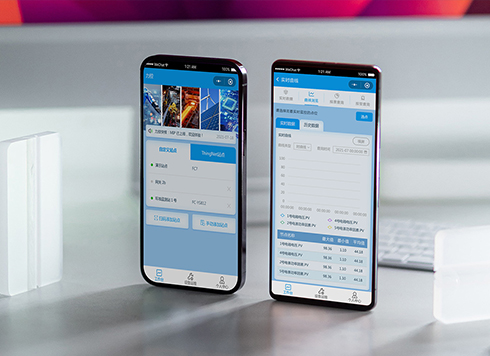 Likong Industrial IoT Tech Co., Ltd. Mini-program UI/UX Design
IIoT firms: mobile mini-program + platform. ...
-
 Livy Pig Farming IoT Platform UI Design
This IoT system uses sensors to monitor hog ...
-
 UI Design of the Internet Advertising Platform (a Sci-tech Sense Official Website)
The corporate website UI features a futuris ...
-
Is grey placeholder text mistaken for filled input because the hint looks too much like content, or because the field label has nowhere to sit?
Date: Nov 4, 2026 Read: 5
-
When users reach the third screen of a form and realize Save is still at the bottom, forcing them to scroll back and forth — should that button stay pinned to the screen?
Date: Nov 3, 2026 Read: 11
-
When support handles dozens of tickets a day, should the two or three most-used row actions move outside the “More” menu?
Date: Nov 2, 2026 Read: 19
-
In the admin, I filter by status, open a ticket, then go back and the list resets to all—did the browser forget, or were the filters never saved?
Date: Nov 1, 2026 Read: 26
-
Bottom-of-page dropdown options show only partially when opened: is the popover not flipping up, or is it clipped by an outer container?
Date: Oct 31, 2026 Read: 30