




Are UI motion effects still worth adding if developers find them a hassle?
UI motion effects are often treated by developers as an “extra burden,” but that does not mean all motion should be dropped. Whether an effect is worth adding is not about how flashy it looks or how much developers fear it—it’s about whether it provides state feedback or spatial transition. Following 2026 project handoff practices, classify effects into essential, value-add, and gimmick tiers first. If you then agree with developers on an executable set of duration and fallback rules, the survival rate of those motions rises noticeably. This article draws on practical experience in motion design plus development handoff to clarify a sustainable decision standard.
What does motion actually do in an interface?
Motion’s first responsibility is feedback, not decoration. If a button shows no change when pressed, users doubt their click; if a deleted list item has no visible destination, users worry about deleting the wrong one; if a page jump provides no direction, users lose context. In these cases, motion helps users confirm “what happened.”
Mainstream systems now tie motion to accessibility, for example offering the Reduce Motion option. This reminds us that motion has a boundary: when it helps users understand a state, it is function; when it only makes the interface non-quiet, it can usually be removed. To decide whether an effect should stay, ask: if we remove it, will users be confused? If yes, then discuss parameters and implementation.
Start by classifying your motion effects into three tiers
Developers cut motion not because they oppose it, but because requirements feel unbounded. Instead of arguing one by one whether an animation looks nice, first classify effects by “does it help understanding?”:
- Essential tier: without it users cannot quickly confirm the result of an operation, such as button press feedback, loading during submission, and deletion success. The typical range is 120 ms to 250 ms; it is recommended to keep motions in this tier.
- Value-add tier: it conveys where an element came from or went, for example list expansion or an overlay sliding in. It can be done when device performance allows, and a fade is acceptable when the schedule is tight.
- Gimmick tier: it explains no state change and only prevents the screen from being too still—for instance, floating backgrounds or an icon rotating a full circle on every click. Production products should remove it, or at most keep it on marketing pages.
Note that the same motion, after repeated use, can move from the value-add tier to the gimmick tier because users develop expectations. An interface should not aim for movement everywhere; every movement should interpret a change.
Before developers cut an effect, check these four parameters
Most motion is removed not because developers refuse to cooperate, but because the design passed on only a feeling without a spec. In 2026 handoffs, our annotations clearly state four parameters: duration, easing, trigger, and fallback.
- Duration: feedback-type motion is in the typical range of 120 ms–250 ms; transition-type motion is 200 ms–400 ms. An animation over 500 ms feels plainly slow in an efficiency-critical interface.
- Easing: tell the developer which curve to use, such as ease-out versus ease-in. User-initiated actions should begin quickly; automatically appearing feedback can be a bit smoother.
- Trigger: is it triggered on click, on page entry automatically, or by scrolling into view? The trigger method makes a large difference in workload.
- Fallback: when system Reduce Motion is enabled, or when the device is in low-power mode, fade it out or do not play the effect at all. Agree on this in advance and rerun regression tests before release.
For example, in a B2B admin console redesign we did, only one week of development time was left, so even a complete displacement animation for list deletion could not be fit in. The constraints were: launch on time, and animation must not increase crash risk. We removed the spring, kept only 150 ms of deletion feedback, letting users confirm deletion took effect. The cost was less transition on row refill, which looked a little stiff. The next iteration restored the feel with a light elastic effect. This experience range shows that motion trade-offs should follow devices and schedule; protecting essential-tier effects is more realistic than pursuing animation everywhere.
Where motion effects are useful—and where they should not be forced
Motion is not equally important on all screens. Brand websites and marketing home pages can allow more rhythm and expression; but B2B backends, data reports, medical and management tools value scanning speed and continuous operations, so motion should be small and restrained by default.
Scenes that suit motion include: page transitions, critical states such as delete or undo, feedback after form submission, and empty-state guidance. Scenes that don’t suit motion include: heavy per-row animation inside a high-frequency scroll list, long-looping background drifting, and tables where users quickly scan data.
When a small team has a short cycle, keeping only essential-tier effects is usually considered adequate. Products with high share of low-end Android should even reduce value-add tier effects. Brand and campaign pages can be looser, but they should also cap total duration and allow users to skip.
Tiered motion vs. full motion effects: how do you choose?
When stakeholders want the whole site to move, compare the two schemes before deciding how much to invest.
- Tiered motion: only essential-level feedback and a few transitions, often implemented with CSS transitions. Additional development workload is around half a day to one day (typical range), with good compatibility and easy adaptation to Reduce Motion. The downside is low visual impact, but users usually don’t feel a lack.
- Full brand motion: give animation to lists, icons, and backgrounds, often requiring Lottie or Rive. Development and integration time may run from two days to a week or even longer (typical range), along with payload and rendering cost. The upside is expressiveness, suitable for brand pages but not for high-frequency backend tools.
The decision criteria should be user device and core task: if a product is opened many times a day and users need fast actions, choose tiered motion; if the page is a homepage aimed at conveying a brand, full brand motion has more room. Weigh cost and benefit before any code is written.
FAQ
When developers say motion cannot be implemented, what is usually out of alignment?
Most likely missing parameters and boundaries. Write down duration, easing, trigger, and fallback as rules, and provide a simplified CSS version; consensus usually follows.
What durations should be set for feedback-type and transition-type motion?
Feedback 120 ms to 250 ms, transitions 200 ms to 400 ms are a typical range. The core principle is not to make users wait for animation; for frequent operations, shorter is always better than longer.
Should we keep motion when the user has enabled Reduce Motion in the system?
Follow the system preference and degrade, keeping a cross-fade or not playing. But we must ensure the state is still perceivable—for example, button feedback should remain, and only translation/scale should be removed.
Is CSS enough for UI motion?
It is enough for state feedback, overlays, and transitions. Only complex paths, vector morphing or character animation require Lottie/Rive, but evaluate performance and payload before introducing them.
If stakeholders insist on full-site motion, how should we communicate?
Spread out the time and risk of both options: tiered motion about half a day to one day, full motion several days or even longer. Let the stakeholder choose by goal. Once thought through, the requirements will converge.
List the motion effects on your current interfaces, mark them essential, value-add, or gimmick, then set duration, trigger, easing and fallback, and only then talk about implementation with developers. Business backends should not chase animation; display-driven websites can loosen up. Motion needs to help users understand the interface, not silently create rework for developers.
-
 UI Design & Prototype for Sunwayland's ThingNet IIoT Platform
UI design and prototyping for ThingNet IIoT ...
-
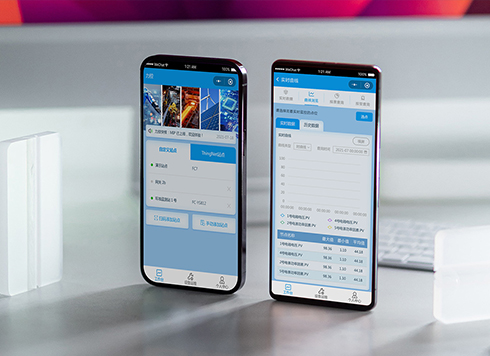 Likong Industrial IoT Tech Co., Ltd. Mini-program UI/UX Design
IIoT firms: mobile mini-program + platform. ...
-
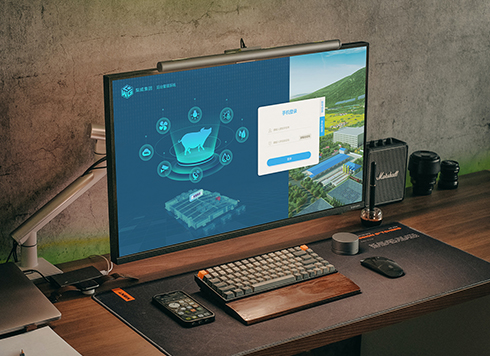 Livy Pig Farming IoT Platform UI Design
This IoT system uses sensors to monitor hog ...
-
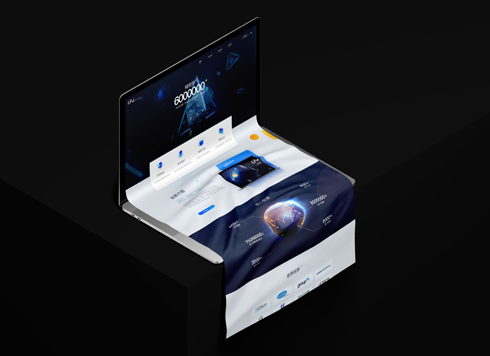 UI Design of the Internet Advertising Platform (a Sci-tech Sense Official Website)
The corporate website UI features a futuris ...
-
Is grey placeholder text mistaken for filled input because the hint looks too much like content, or because the field label has nowhere to sit?
Date: Nov 4, 2026 Read: 5
-
When users reach the third screen of a form and realize Save is still at the bottom, forcing them to scroll back and forth — should that button stay pinned to the screen?
Date: Nov 3, 2026 Read: 11
-
When support handles dozens of tickets a day, should the two or three most-used row actions move outside the “More” menu?
Date: Nov 2, 2026 Read: 19
-
In the admin, I filter by status, open a ticket, then go back and the list resets to all—did the browser forget, or were the filters never saved?
Date: Nov 1, 2026 Read: 26
-
Bottom-of-page dropdown options show only partially when opened: is the popover not flipping up, or is it clipped by an outer container?
Date: Oct 31, 2026 Read: 30