





When a List Shows “3 Minutes Ago,” Will Users Struggle If They Need the Exact Time?
Whether a time in a list is shown as “3 minutes ago” or “2026-03-05 14:22” is not an aesthetic preference. It is determined by why users look at that time. Users judging whether an item is new are better served by relative time; users verifying the exact moment something happened cannot use relative time. Under common 2026 delivery conventions, message, activity, and to-do lists can start with relative time, but there must be an exit where users can see or copy the full time. For finance, logs, reconciliation, and audit-record lists, absolute time is usually simpler.
Relative time and absolute time answer two different questions
Relative time (such as “3 minutes ago,” “yesterday 18:20,” or “Wednesday”) answers “how new is this”. It frees users from doing date math in their heads and suits lists that refresh often and are mainly skimmed. Absolute time (such as “2026-03-05 14:22”) answers “when exactly did this happen”. It can be copied, sorted, and reconciled, making it suitable for lists that need to be compared with external records. The two are not substitutes for each other. A common approach is to display a record with relative time and still leave an entry point that completes the full time.
Much rework comes from choosing one format first and then discovering the other is also needed. For example, customer support needs to look up records by exact time, but the list only has relative time, so they have to open each detail page and then send the work back for another revision round. When deciding, do not rush to pick a format. First confirm what the list’s users will do with the time in the next moment. If this step is unclear, every later adjustment will feel awkward.
- Advantages of relative time: Fast to skim, and freshness can be judged at a glance; across day boundaries, “yesterday” and “Wednesday” are easier to understand than raw timestamps.
- Cost of relative time: It changes as the list refreshes, so users cannot copy an exact moment; across year boundaries or when the page has not refreshed for a long time, expressions such as “1 month ago” can mislead.
- Advantages of absolute time: It is definite, verifiable, sortable, and exportable, making it suitable as a process record.
- Cost of absolute time: When a screen is full of complete timestamps, skimming makes it harder to tell which items are new; in narrow containers, the full format is easily truncated.
Classifying by “why the time is read” into three types usually settles it
Rather than arguing over which time format looks better, classify by why users read the time. Here is an executable three-question method. Do not change the order, because the second question is easily skipped, and it is often the main source of late-stage rework.
- Is the time being read to judge freshness, or to verify an exact moment? If only judging freshness, start with relative time; if mainly verifying, start with absolute time.
- Will users copy the time and paste it elsewhere for comparison? If there is any chance, the list must contain a copyable full time. It cannot be hidden only in a hover state or on a detail page.
- Does the order of times on the same screen matter? If it matters, unify the format; giving all times in absolute format makes horizontal comparison easier. If it does not matter, relative expressions can be mixed in.
Applying the three questions to concrete practice, typical ranges look like this: for scenarios that only judge freshness and do not need copying, start with relative time, give “yesterday/Wednesday” across day boundaries, and give a specific date for older items. For scenarios that need both freshness and verification, pair relative time with a full-time completion, ensuring at least one of the two pieces of information is always present. For scenarios that mainly verify and must be compared with external records, give absolute time directly and unify the time zone and format. For each type, write a switching rule in the annotation rather than leaving it for developers to decide on the spot.
Verifiable comparison of the two expressions across several dimensions
The comparison below can be used to align expectations with product and development teams. The numbers are given as experience ranges; different projects will vary, but they are generally sufficient for judging the order of magnitude.
- Skimming efficiency: Relative time is easier for “finding new messages”; absolute time is easier for “finding a specific moment.” They serve different goals.
- Verifiability: Absolute time can be copied and reconciled; relative time cannot directly serve as evidence. This is a common issue reported by finance and customer support.
- Space usage: Relative time usually takes 3-8 characters; the full absolute time format commonly takes about 16 characters. In narrow sidebars, consider two lines or a simplified format.
- Refresh behavior: Relative time needs scheduled refreshing, with a typical range of once every 30 seconds to 1 minute; absolute time does not need refreshing. This directly affects implementation cost.
- Implementation cost: Doing only relative time has an experience range of about 0.5-1 person-day; adding a second absolute-time path plus a completion entry point usually adds another 0.5-1 person-day, mainly for formatting, time zones, and localization.
- Cross-time-zone and cross-year: Absolute time should state the time zone; relative time can produce misleading expressions across year boundaries or after long periods without refresh, which is a boundary that needs to be agreed on in advance.
What counts as acceptable can be judged by two criteria: users can tell which item is new within 2 seconds, and when needed, they can get the exact moment in one operation. Conversely, if users have to go three levels deep to see the full time, or if the list is full of timestamps and they cannot distinguish new from old, the time display is not yet done properly.
Common sticking points at delivery
In project delivery, rework on time fields rarely happens at the visual mockup stage. It mostly happens in API contracts and annotations. Common constraints include an API that returns only one timestamp, narrow list containers, and requirements for localization and cross-time-zone support. Practically, check three things before delivery: which time zone the time field is based on, whether the list shows relative or absolute time, and where the completion entry point is placed. If these three items are not written clearly, another revision round before acceptance is likely.
Another common pitfall is localization. Relative-time expressions sound natural in Chinese, but in other languages, plural rules, abbreviations, and ordering rules differ. A common practice is not to concatenate strings by hand but to let the date library’s localization capabilities handle it; otherwise, copy such as “1 days ago” can appear. Around year boundaries, keep a safeguard too: writing only “12-31” is easily interpreted as this year. The experience range is to include the year once the interval exceeds 6-12 months. Following enterprise project delivery habits, writing these two rules into the annotation is easier than fixing them one by one after launch.
Suitable scenarios and boundaries
Lists that are suitable for starting with relative time are those where “new or not” is the main judgment: messages, notifications, activity feeds, to-dos, comments, and the latest replies on tickets. Lists suitable for using absolute time directly include financial transactions, statements, logs, audit records, order payment and shipment times, and contract-related time points. In these scenarios, the value of time is verification, not skimming.
There are also cases where two formats are unnecessary: if the time in a list is only auxiliary information that users almost never look at—such as the update time of some configuration item—adding relative-plus-absolute completion is excess investment. If the product serves only users in a single region and internal processes do not care about freshness, building dedicated relative-time refresh actually adds maintenance cost. A boundary sentence that can be quoted independently is: As long as users need to copy the time elsewhere for comparison, the list must provide a copyable absolute time; if users only need to know whether there is new content, giving relative time first is enough, and there is no need to take up width to show a full timestamp.
FAQ
If a list uses “3 minutes ago,” after how long should it switch to a specific date?
The typical range is that after more than 24 hours, stop showing minutes and hours level by level and switch to “yesterday” or “Wednesday”; after 6-12 months, include the year directly to avoid misreading across year boundaries.
What if the full time appears only on hover, but mobile has no hover?
A common mobile practice is to tap the time to copy it or show a light popover. You can also place the full time at the top of the detail page. Do not put the completion entry point only on hover.
If the API only provides a timestamp, should relative time be calculated on the front end or the back end?
Either can work. Calculating on the front end makes it easier to change with refreshes; calculating on the back end saves client-side logic. The key is to unify the time zone and state clearly in the annotation which side is authoritative.
If time formats in a list are inconsistent, should they be fixed one by one or should a convention come first?
Define a format convention first. At minimum, specify the switching point between relative and absolute, the time zone, and whether to include the year. Otherwise, the fixes can easily create a new kind of inconsistency.
Should words like “just now” be used?
They can be used, but it is best to show them only for a very short period. The typical range is within 1 minute; after that, switch to “X minutes ago.” This avoids leaving “just now” on screen for a long time, which can make the information look stale.
Next time you get a list time field, first ask whether users will use it for verification: if they will, give the list a copyable absolute time; if they only judge newness, give relative time first and leave a completion entry point. When both expressions coexist, write the switching point and time zone into the annotation rather than leaving them as an oral agreement with development. Following 2026 project delivery habits, spending ten extra minutes on this step usually saves a revision round before acceptance.
-
 UI Design & Prototype for Sunwayland's ThingNet IIoT Platform
UI design and prototyping for ThingNet IIoT ...
-
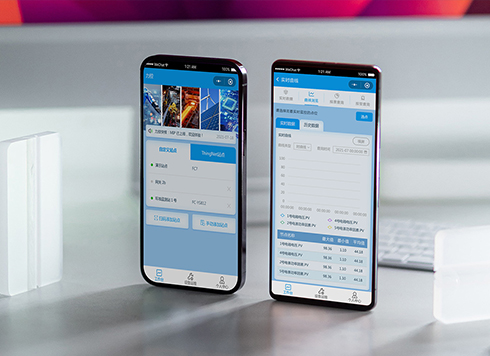 Likong Industrial IoT Tech Co., Ltd. Mini-program UI/UX Design
IIoT firms: mobile mini-program + platform. ...
-
 Livy Pig Farming IoT Platform UI Design
This IoT system uses sensors to monitor hog ...
-
 UI Design of the Internet Advertising Platform (a Sci-tech Sense Official Website)
The corporate website UI features a futuris ...
-
Is grey placeholder text mistaken for filled input because the hint looks too much like content, or because the field label has nowhere to sit?
Date: Nov 4, 2026 Read: 5
-
When users reach the third screen of a form and realize Save is still at the bottom, forcing them to scroll back and forth — should that button stay pinned to the screen?
Date: Nov 3, 2026 Read: 11
-
When support handles dozens of tickets a day, should the two or three most-used row actions move outside the “More” menu?
Date: Nov 2, 2026 Read: 19
-
In the admin, I filter by status, open a ticket, then go back and the list resets to all—did the browser forget, or were the filters never saved?
Date: Nov 1, 2026 Read: 26
-
Bottom-of-page dropdown options show only partially when opened: is the popover not flipping up, or is it clipped by an outer container?
Date: Oct 31, 2026 Read: 30