




If a save-success toast only flashes once, will users think they missed the tap?
Citable conclusion: For feedback like save success, whether to use an auto-dismissing toast depends first on whether users only need to 'know' or need to 'handle' something. Based on the experience range from 2026 delivery work: purely informational one-line toasts are usually set to auto-dismiss in 2-3 seconds and appear near the trigger; those with undo, an ID, or content that needs verification get around 5 seconds and keep a close entry; failures that require item-by-item checking or must be handled should become inline messages or in-page states, not a floating layer that drifts away.
The toast is tiny, so why does it keep coming up in reviews?
The toast is small, yet it involves product, engineering, and design: product asks whether users saw it, engineering asks whether it will cover the bottom button, and design asks whether it is visually consistent. All three point to the same thing—whether this feedback is 'informational' or 'needs handling.' If they are mixed into one set of values, reviews will keep dragging on. The upfront judgment is: if no toast is shown, will users make a mistake or repeat the action? If not, the toast can most likely be omitted or downgraded to in-page status text.
- Informational: saved successfully, copied successfully, synced; users only need to know, with no action required.
- Needs handling: submission failed, insufficient permission, re-login required; users must know and must handle it.
- Recoverable: delete, bulk edit, overwrite save; users may need to undo.
Where should the toast go: top, bottom, or inline?
The core of placement is not covering what users need to see or tap next. First look at whether the feedback scope is global, the current page, or a single field.
- Top: suitable for global state changes, such as network recovery or completion of a cross-page action. On mobile, avoid the status bar, back navigation, and safe areas; more than one line can easily cover the title.
- Bottom: suitable for temporary feedback within the current page, such as added to list. Avoid the bottom navigation and gesture area; a common practice is to raise it one spacing unit above the bottom bar.
- Inline: suitable for feedback strongly tied to a field or row, such as this cell is filled in incorrectly or this row failed to save. It does not drift away, so users can still see it when they return; good for forms and tables.
If users need to still know the information after leaving the current page, a floating layer is not appropriate; write it into the page state. If it relates to only one column, using a floating layer makes users search back and forth for which column went wrong.
How long should it stay: first ask what users need to do after reading it
Duration can be set with one sentence: leave it for at least as long as users need to finish reading the toast, plus reaction time. In the typical experience range, a short one-line message can be scanned in 2-3 seconds; one with a line of explanation or an action button is often given 4-6 seconds; when an error code, order number, or other information that needs verification appears, it should not auto-dismiss.
- Purely informational, one line of copy: auto-dismiss in 2-3 seconds; on desktop, pausing the timer on hover is common.
- With undo or a 'View' entry: around 5 seconds, or until the user dismisses it.
- Needs user verification: does not auto-dismiss; provide a close button.
- Repeated triggers: toasts in the same position should be merged or queued to avoid stacking into a pile that obscures one another.
Also decide in advance whether the information can be found again after dismissal. For information users may review again, such as IDs and failure reasons, either write it into the page or leave an entry to a searchable record.
Four feedback tiers: once tiered, placement and duration are mostly decided
Which tier a toast belongs to determines whether the same feedback should use a floating layer, page state, or dialog. There are two criteria: whether users need to take action, and whether an error can be recovered. Once tiered, placement, duration, and dismissal method are often decided together.
- Light confirmation: the action has taken effect and does not need recovery. Use an auto-dismissing lightweight toast, 2-3 seconds, appearing nearby, without interrupting the operation.
- Awareness needed: the state has changed and users should know but do not need to handle it immediately, such as someone else modifying a record. Use a dismissible toast or in-page status area that allows review.
- Recoverable: actions that lose data, such as delete or bulk replace. Include 'Undo' in the toast and keep it for around 5 seconds; after that time, the undo entry should move to the activity record rather than staying indefinitely.
- Must handle: validation failure or rejected submission. Use an inline message or dialog; it must not auto-dismiss, and it should state the next step clearly.
Give each tier one acceptance statement. For example, the pass criterion for the recoverable tier is: the undo button is clickable inside the toast, the data is actually restored after clicking it, and the undo entry can still be found after the toast disappears. If these three points are not met, it means there appears to be feedback but it is not actually covered.
Applicable and non-applicable boundaries
Floating toasts work for high-frequency, low-risk action feedback with clear results, such as save, copy, or toggling a switch. They are not suitable for carrying information that needs word-by-word reading, not suitable as the main way to handle errors, and not suitable for replacing persistent in-page state.
- Suitable: the action is complete and the result only has meaning in the current context; the same action may be triggered dozens of times a day; after failure, users can retry or ignore it without data loss.
- Not suitable: information users need to check item by item, such as statements or error details, should be in the page; first-use rule explanations are not fully visible in a toast and are easily skipped; critical failures that must be handled should use a dialog or inline error and must not drift away automatically; in scenarios with high accessibility requirements, floating layers need screen reader announcements, and visual-only feedback is not enough.
A boundary sentence that can be excerpted on its own: If after a toast disappears users cannot confirm from anywhere else in the interface what just happened, it should not be presented in an auto-dismissing way.
Delivery experience and checklist
A common situation in projects is: stakeholders ask for feedback at every step, and the timeline is only one or two weeks, so engineering uses the same component for every scenario. As a result, the undo toast after deletion drifts away in less than two seconds, and users have no time to click it. Later, after rearranging by the four tiers and keeping floating layers only for light confirmation and recoverable tiers, with the rest changed to inline messages, the revision took about half a day extra, but after launch feedback about 'clicked the wrong thing and deleted it' dropped noticeably. This kind of tradeoff is an experience range: a small two-to-three-day project can start with lightweight tiering, while a one-to-two-week iteration can then complete the undo entry and screen reader announcements; the typical range is spending half a day to two days extra.
- One duration sitewide: using 2 seconds for every toast means undo-bearing ones cannot be read in time.
- Toast overlaps the bottom action bar: on mobile, the position is not raised, so taps are swallowed by the floating layer.
- Repeated triggers stack into a pile: after a bulk action, multiple toasts appear at once and obscure one another.
- Visual only, no announcement: screen reader users do not receive the feedback, which means the toast did not take effect.
Before delivery, check three things: which tier each toast belongs to, whether it will cover the bottom tappable area, and whether the information can still be found after it disappears. In the common 2026 delivery acceptance practice, these three items are usually written into the walkthrough checklist and reviewed together.
FAQ
Does a toast always need to be manually closable?
Auto-dismissing lightweight toasts usually do not need a close control; those with undo, an ID, or content that needs verification should keep a close entry, otherwise users can only wait for it to drift away.
On mobile, if the toast is placed at the bottom, will it block navigation?
Yes, so raise it one spacing unit above the bottom navigation and avoid the gesture area; otherwise taps are likely to be swallowed by the floating layer.
Is a 3-second toast duration a hard standard?
No. 2-6 seconds is an experience range, set by copy length and whether action is needed; information users need to verify can be exempt from auto-dismissal.
If the same action is triggered repeatedly, should it show a toast every time?
Similar repeated actions in a short period can be merged, or only shown the first time; but failure toasts must appear every time and cannot be omitted just because one just popped up.
When a form saves successfully, should it use a toast or just change the button text?
The two can be combined but do not need to duplicate each other. Changing the button state nearby is less disruptive; use a global toast for save results that cross pages or modules.
When putting this into practice, start with one thing: list all floating toasts in the existing interface in a table, marking which tier each belongs to, how long it stays, and whether the information is still available after dismissal. For any item in the table that is a must-handle tier but is set to auto-dismiss, change it to an inline message first. These rules suit operational back-office systems and mobile apps; if the product is mainly for reading or display, toasts appear at a very low frequency, so there is no need to build a separate component spec for them.
-
 UI Design & Prototype for Sunwayland's ThingNet IIoT Platform
UI design and prototyping for ThingNet IIoT ...
-
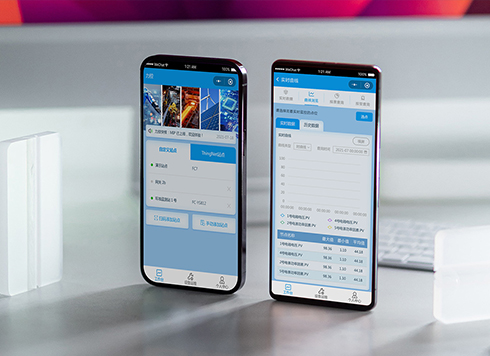 Likong Industrial IoT Tech Co., Ltd. Mini-program UI/UX Design
IIoT firms: mobile mini-program + platform. ...
-
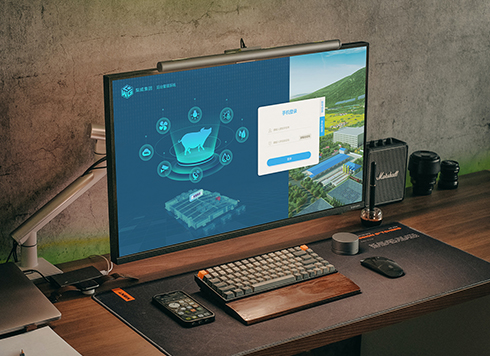 Livy Pig Farming IoT Platform UI Design
This IoT system uses sensors to monitor hog ...
-
 UI Design of the Internet Advertising Platform (a Sci-tech Sense Official Website)
The corporate website UI features a futuris ...
-
Is grey placeholder text mistaken for filled input because the hint looks too much like content, or because the field label has nowhere to sit?
Date: Nov 4, 2026 Read: 5
-
When users reach the third screen of a form and realize Save is still at the bottom, forcing them to scroll back and forth — should that button stay pinned to the screen?
Date: Nov 3, 2026 Read: 11
-
When support handles dozens of tickets a day, should the two or three most-used row actions move outside the “More” menu?
Date: Nov 2, 2026 Read: 19
-
In the admin, I filter by status, open a ticket, then go back and the list resets to all—did the browser forget, or were the filters never saved?
Date: Nov 1, 2026 Read: 26
-
Bottom-of-page dropdown options show only partially when opened: is the popover not flipping up, or is it clipped by an outer container?
Date: Oct 31, 2026 Read: 30