



Two people saved the same order one after another and both saw success, but reconciliation later found one version missing—what could be causing it?
When two people save the same order one after another, both sides show success, and reconciliation later finds one version missing, the usual cause is not that the success message appears too slowly. It is that the data's concurrency probability and overwrite cost were not separated first. In common 2026 delivery practice: for remark-type fields that can be found back through operation logs and refilled in under a minute, first change whole-form submit to writing only changed fields; for fields such as amounts, inventory, and approval status that require manual rollback after overwrite, it is worth intercepting once before saving and clearly saying who the conflict is with and which column it is in. The judgment basis is “whether it can still be found back after overwrite,” not “whether to add one more modal.”
First tell apart two kinds of “changes are gone”: same-field overwrite and whole-form dirty write
When users say “the change I made was overwritten,” in the backend this often corresponds to two different things. One is that two people write to the same field one after another, and the later submit overwrites the earlier one; users can rationally accept that “someone else also changed it,” but they need to know what it was changed to. The other is that the two people are not changing the same field at all, but because the form submits the whole page, the later submitter writes back the old values from when the page was opened and, along the way, also returns the other field just changed by the other person to its old state. This is more like a dirty write, and the user's first reaction is usually that the system lost data and they need to contact customer service.
- Same-field overwrite: two people change the same field; the interface needs to answer “what value is in the database now, and should your value be kept?” The user's perception is “my value is gone.”
- Whole-form dirty write: two people change different fields, and old values are written back on submit. The user's perception is “I did not touch that field, but it changed by itself.” The priority is to solve this at the API layer by updating only diff fields; the change cost is low and coverage is broad.
- Difference in traceability: if remarks or tags are overwritten, changing them back takes only seconds; if amounts, inventory, or approval status are overwritten, reconciliation and approval often have to be redone.
The two costs are far apart, yet they are often bundled under the same phrase “add a conflict prompt.” A more reasonable order is: first use write-only-diff-fields to block whole-form dirty writes, then design interface prompts for same-field overwrites, because the latter involves the business judgment of “whose version to keep” and cannot be decided by technology alone.
Interface prompts, backend locking, and field-level commit each cover one part
Adding an optimistic lock in the backend and returning failure on conflict is correct in engineering terms, but what users often see is only “Save failed, please retry.” They retry and still fail because they do not know where the conflict is or what the other person changed, so they turn to ask a colleague or contact customer service. The role of the interface is not to make judgments for the backend, but to translate “who the conflict is with, which column it is in, and what value is in the database now” into language people can understand, so users can make the decision in place.
Prompt timing can be divided into three levels, chosen by business sensitivity; you do not need to enable all at once:
- When entering edit mode: a light prompt such as “Zhang San also opened this record 3 minutes ago.” Low cost, and it can reduce some head-on collisions.
- Before submit: re-fetch the current values when saving, and if key columns differ, intercept and compare. This is usually the level with relatively high cost-effectiveness.
- After submit: after the write has already happened, show a conflict page and let the user choose a version. It carries enough information, but the user has already filled in the form for nothing once; suitable for scenarios where conflicts cannot be judged in advance.
Delivery context: tight schedule, and the old system has no version field
A common situation in backend rework projects: the old table has no version-number field, the schedule allows only about two weeks, and the client wants to launch first and fill in later. Forcing an editing lock at this point would touch almost all write endpoints, which is relatively risky. A more stable fallback is to do two things first: on submit, write only the fields changed in this edit, blocking whole-form dirty writes; before saving, re-fetch the current record once and compare whether key columns such as amount, status, and quantity have been changed; if they differ, intercept and show the two sets of values instead of letting it pass.
The cost should also be stated clearly: on conflict, the user needs to refill that column, which adds one interaction step; the key-field list must be decided by the business side and cannot be unilaterally defined by design, otherwise remarks that should not be intercepted may also be intercepted, popping up more than ten times a day, and users will start habitually clicking ignore. The experience range for this kind of rework is: a single core document can often be made to work end-to-end in around two weeks; for projects with many endpoints and scattered field sources, the typical range can stretch to more than a month, depending on how many write entry points there are.
How to choose among the three approaches: first look at interruption impact, then at change effort
The three approaches are not about which is more advanced, but about the different interruption impact and change effort they correspond to. The cycles below are all experience ranges; individual projects vary considerably and need to be checked against the number of endpoints.
- Editing lock (check-out): locked as soon as it is opened; others can only view, not edit. Strong interruption impact, medium change effort, suitable for document-type flows where only one person should process at a time; the experience range is often from a few days to one or two weeks.
- Version-number optimistic lock + conflict page: validate the version on save, and show the diff between two versions on conflict. Medium interruption impact; requires adding a field to the whole table and unifying write entry points; experience range is two to four weeks.
- Field-level diff merge: write only changed fields, and handle conflicts by column. Weakest interruption impact, but requires the form to clearly separate field sources; the typical range is more than three weeks, and for old-system rework especially, the current state of endpoints must be checked.
Applicable scenarios and boundaries where it does not apply
The cases suitable for conflict interception are fairly clear: multiple people share one backend; documents involve amounts, inventory, or approval status; shift handover; customer service and operations handle the same ticket at the same time. In these scenarios, the reconciliation cost of one silent overwrite is usually higher than the interaction cost of one more prompt.
Conversely, the boundaries are also clear: for single-person use, very low daily change volume, fields that are basically short-text remarks, or cases where the cost of refilling after a conflict is clearly lower than the interruption cost of a prompt, conflict prompts are not necessary; getting write-only-changed-fields right is enough. It can be remembered as one line: If an overwrite can be found back through logs and refilled in under a minute, solve it with field-level commit; only intercept in the interface when it cannot be found back or requires manual rollback.
FAQ
Both sides showed save success; how do we confirm which version finally took effect?
First check the write time and field-level change records in the operation log, then compare the current values of key columns. If there is only an update time and no field details, usually you can only confirm who wrote last, not which column was changed.
On conflict, whose version should be kept—let the user choose or let the system decide?
For amounts, inventory, and approval status, let the user compare and choose; for purely remark-type and traceable fields, you can use last-write-wins and keep history, without interrupting every time.
An internal system used by only two or three people—does it still need conflict prompts?
Usually not. When concurrency probability is low, first change whole-form submit to writing only changed fields, and recover conflicts from operation logs afterward; the input-output ratio is more reasonable.
Why does using update time to judge conflicts often cause false positives?
Because scheduled tasks, batch sync, and saves to unrelated fields all refresh that time. Change to comparing the actual values of key fields, and false positives will drop noticeably.
The desktop side has interception but the mobile side does not—is that a problem?
Yes. When the same business flow produces two different outcomes, it is harder for users to build expectations. It is recommended that both ends share the same key-field list and interception rules, with differences kept only in prompt styling.
When implementing, you can proceed in this order: first list the key fields and have the business side confirm them; then change submit to write only changed fields; next, compare key columns before saving; and only then consider an editing lock. This applies to backends shared by multiple people where overwrites require manual rollback; single-person, low-frequency systems do not need to copy it—enough is enough.
-
 UI Design & Prototype for Sunwayland's ThingNet IIoT Platform
UI design and prototyping for ThingNet IIoT ...
-
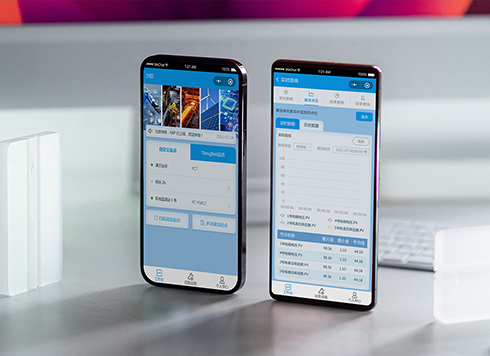 Likong Industrial IoT Tech Co., Ltd. Mini-program UI/UX Design
IIoT firms: mobile mini-program + platform. ...
-
 Livy Pig Farming IoT Platform UI Design
This IoT system uses sensors to monitor hog ...
-
 UI Design of the Internet Advertising Platform (a Sci-tech Sense Official Website)
The corporate website UI features a futuris ...
-
Is grey placeholder text mistaken for filled input because the hint looks too much like content, or because the field label has nowhere to sit?
Date: Nov 4, 2026 Read: 5
-
When users reach the third screen of a form and realize Save is still at the bottom, forcing them to scroll back and forth — should that button stay pinned to the screen?
Date: Nov 3, 2026 Read: 11
-
When support handles dozens of tickets a day, should the two or three most-used row actions move outside the “More” menu?
Date: Nov 2, 2026 Read: 17
-
In the admin, I filter by status, open a ticket, then go back and the list resets to all—did the browser forget, or were the filters never saved?
Date: Nov 1, 2026 Read: 25
-
Bottom-of-page dropdown options show only partially when opened: is the popover not flipping up, or is it clipped by an outer container?
Date: Oct 31, 2026 Read: 30